
Google takes the step that was missing: Gemini begins to integrate natively in Chrome for desktop, with the aim of facilitating a more practical use of AI in daily life. Integration allows to consult, summarize and compare the content of several tabs, move to specific moments of a YouTube video and even Remember pages that you visited to resume them without having to manually review the history. Input, the launch is limited to Windows and macOS in the United States and in Englishwith expansion plans and more functions on the way.
The novelty arrives after months of tests with subscribers and marks the beginning of a stage in which Chrome ceases to be a simple viewfinder of Websites to become a Active assistant. Google also confirms that in the coming months you will add automated functions: Gemini may act in your name In repetitive tasks such as reserving an appointment or making purchases, always under user control. It is a movement that responds to the wave of browsers with AI and that can change the way we investigate, buy or study from the computer.
What can Gemini do in Chrome
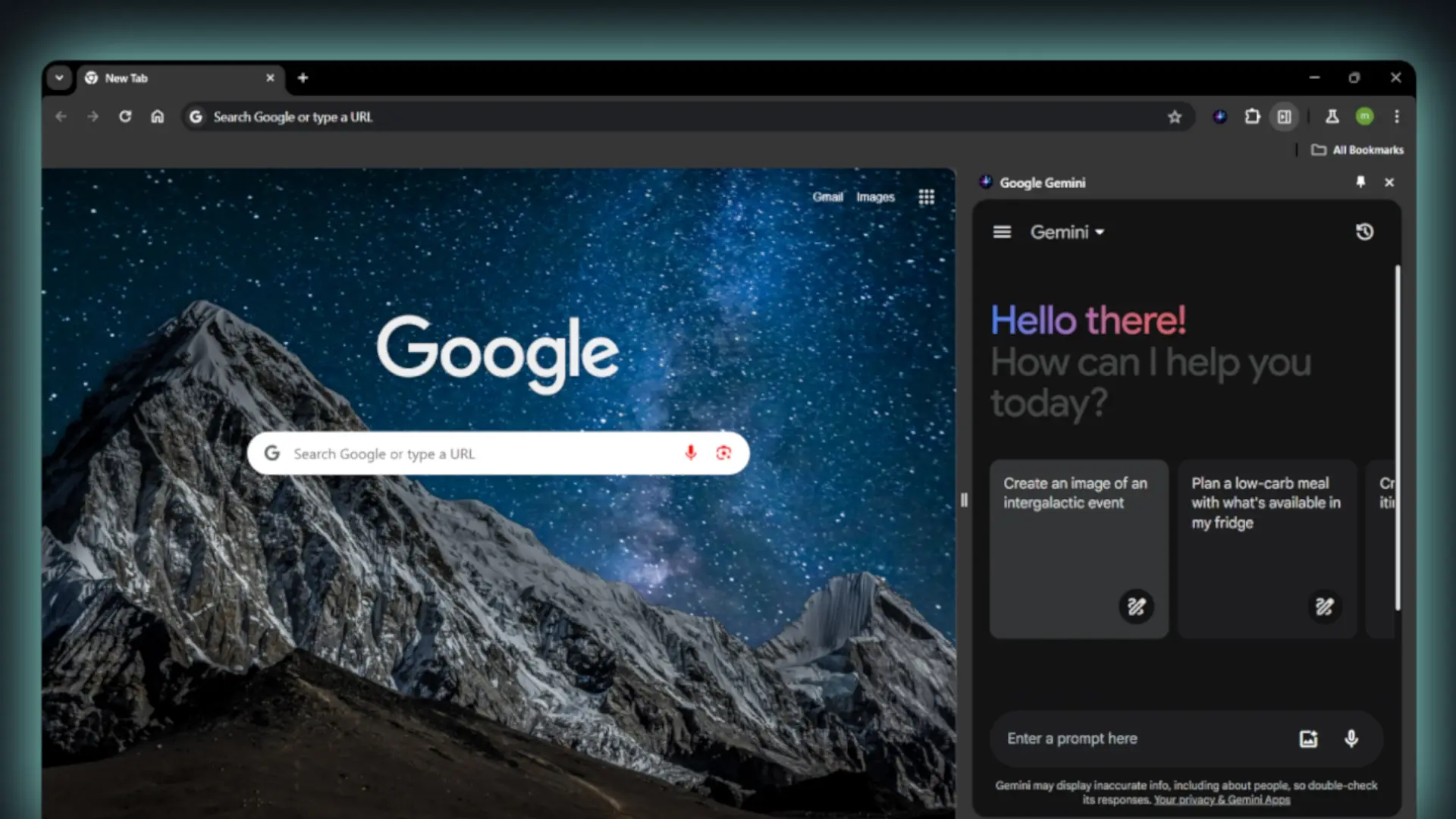
Access to Gemini appears with a flash icon In the upper right of the browser. From there you can ask for clarifications, summaries or contextual actions about what you see on the screen. It is not an independent chatbot, but an intelligent layer that interprets the context of your Google tabs and services.
Among the key functions already available or announced by Google stand out:
- Summaries and comparisons between tabs to consolidate information from several sites in a single useful result.
- YouTube search and navigation To go directly to the exact minute of the video you need.
- Recover recently seen pages With requests of the type “What store I saw last week with the walnut desk?”
- Integration with Google Calendar, Maps or YouTube Without getting out of the current page, for example, to program a meeting or consult locations.
Ai mode in the address bar and security improvements
In addition to Gemini's panel, Chrome incorporates Ai mode directly in the Address bar (omnibox) to formulate longer and more complex consultations without abandoning the current page. The browser also suggests Contextual consultations related to what you are seeing (for example, guarantees when you compare mattresses) and show answers with the side panel, from where you can continue investigating
The commitment to AI arrives accompanied by Security and privacy. Chrome USA Gemini Nano To reinforce safe navigation mode, with improved protection, capable of detecting Deceptive scams and websites (such as false antivirus or raffles) and reduce the noise of abusive notifications. Another practical novelty is the Change of passwords committed to a click In sites such as Spotify, Duolingo, H&M, Coursera, among others, integrated into the browser's self -fulfilled.
A key movement in front of browsers with AI
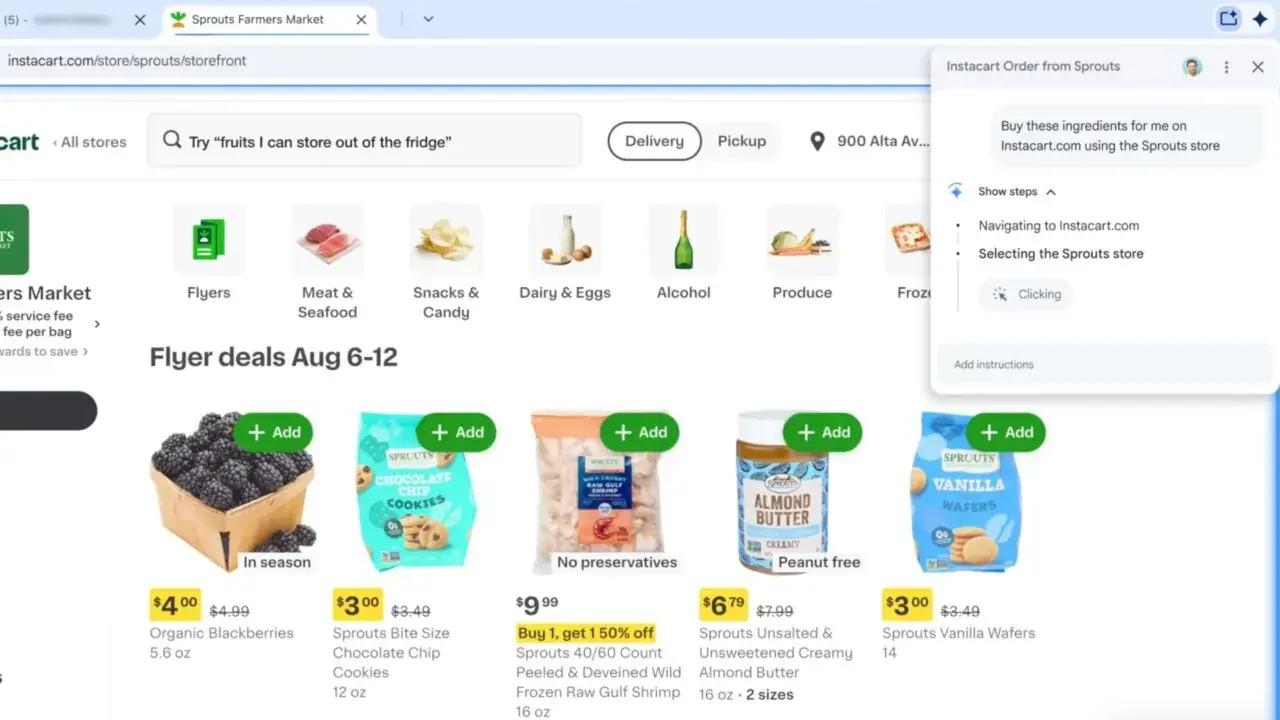
The arrival of Gemini integrated into Chrome puts Google in front of rivals who have pushed the idea of the Navigator-Assistentas perplexity comet. The difference is the scope: Chrome is still the dominant browser and this update can carry the AI hundreds of millions of users without installing extensions or external services. Yes agricultural capacities They fulfill what is promised, automate repetitive processes such as making purchases or reserves; The browser will “consult” to “do” for us through concrete actions.
For Android users and Google ecosystem, the lace is natural: Ai mode In the omnibox to the Synergy with YouTube, Maps and Calendareverything works unified and without the need to change tab. There are still questions regarding the privacy of the data, detailed controls and international deployment, but the course is clear: Chrome not only renders websites, but also understand what you do And it helps you finish faster.
Availability
For the moment, Gemini in Chrome is being deployed in the United Statesonly in English and in Desktop equipment (Windows and Macos). Google says that It will reach mobiles (Android and, subsequently, iOS) and that the Ai mode omnibox will be activated This same month In the United States, with the aim of expanding to More countries and languages In the coming weeks. There is no Date for Spainso it will be time to wait for the global plan.
Will you try Chrome with Gemini when I arrive in Spain? Do you prefer to keep the browser “clean” and use AI separately, or convince you the idea of an assistant who summarizes, compares and acts directly in the browser?