

You check your phone when you wake up. You look at him during breakfast. You consult it in the elevator, while you wait, while someone talks to you. According to data from 2025, people can unlock it until 205 times a daypractically every five minutes during waking hours. It's not just a problem of willpower, although it doesn't help to have weak willpower: the applications are specifically designed so that you can't stop.
The good part is that you have more tools than you imagine to take back control. And many of them are on the same device that has you hooked.
Start by knowing how much time you waste, and on what
Changing any habit requires first being aware of it. Both Android and iPhone come standard with a screen time monitoring which shows exactly how much you've used each app, how many notifications you've received, and how many times you've unlocked your phone. On Android it is called Digital Wellbeing and it is in Settings; on iPhone it is Screen Time, also in Settings.
Open it and look at the data without judging yourself too much. Most people are surprised to discover that they carry three hours a day on Instagram or TikTok when I had the feeling of having “kept an eye” from time to time. With that clear portrait in front of you, you can now act.
What your phone itself can do for you
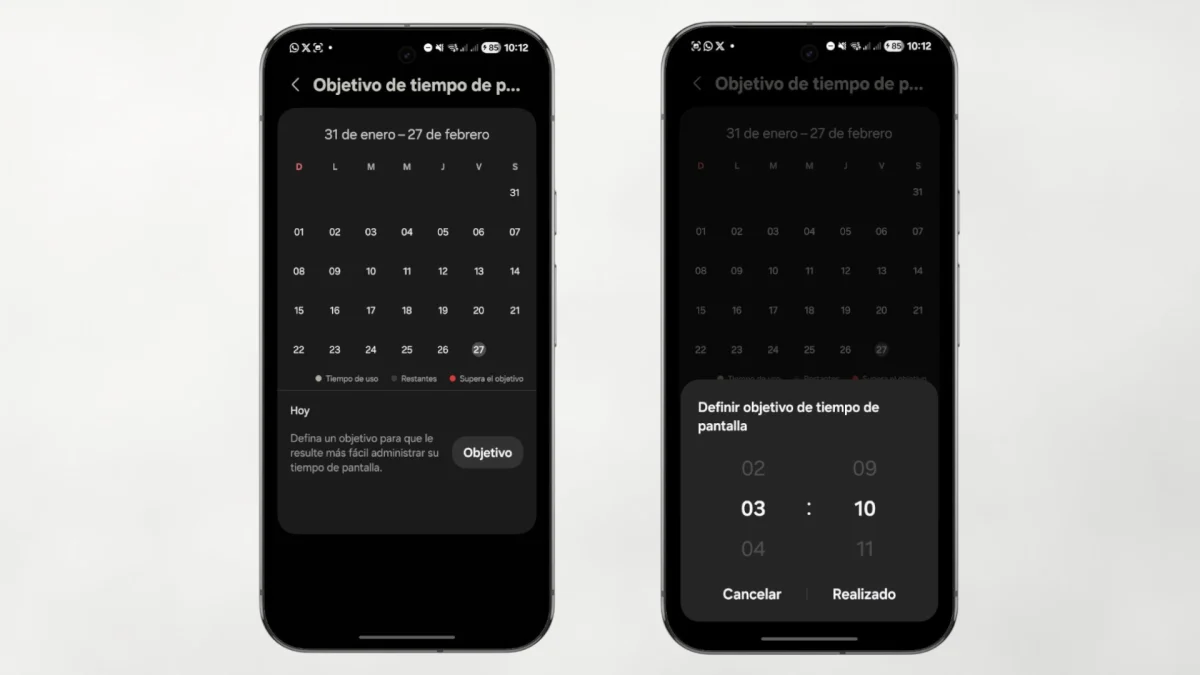
Let's start with the limits per application. Both Android and iOS allow you to set a daily time limit for any app: when you reach it, it blocks or a warning appears. It is not infallibleyou can skip it with a tap—, but that moment of friction is enough for you to often decide not to do it.
Distraction-free mode and timeout go a step further: they block a set of apps for the time you set, manually or at scheduled times. Ideal for work hours, meals or just before bed. On iPhone, the Focus Mode It also allows you to create different profiles depending on the activity – one for working, another for sleeping, another for reading – something that is appreciated when routines change a lot throughout the day.
And then there's the simplest and most underrated trick of all: turn the screen black and white. Dr. Kaitlyn Regehr, a researcher at University College London specializing in digital health, explains it clearly: color and images are part of the addictive design of these applications. Removing the color makes them visually boring, and that greatly reduces the impulse to open them for no specific reason. On Android you activate it in Settings > Digital Wellbeing or Accessibility; on iPhone it is in Settings > Accessibility > Display and text size.
The notification problem
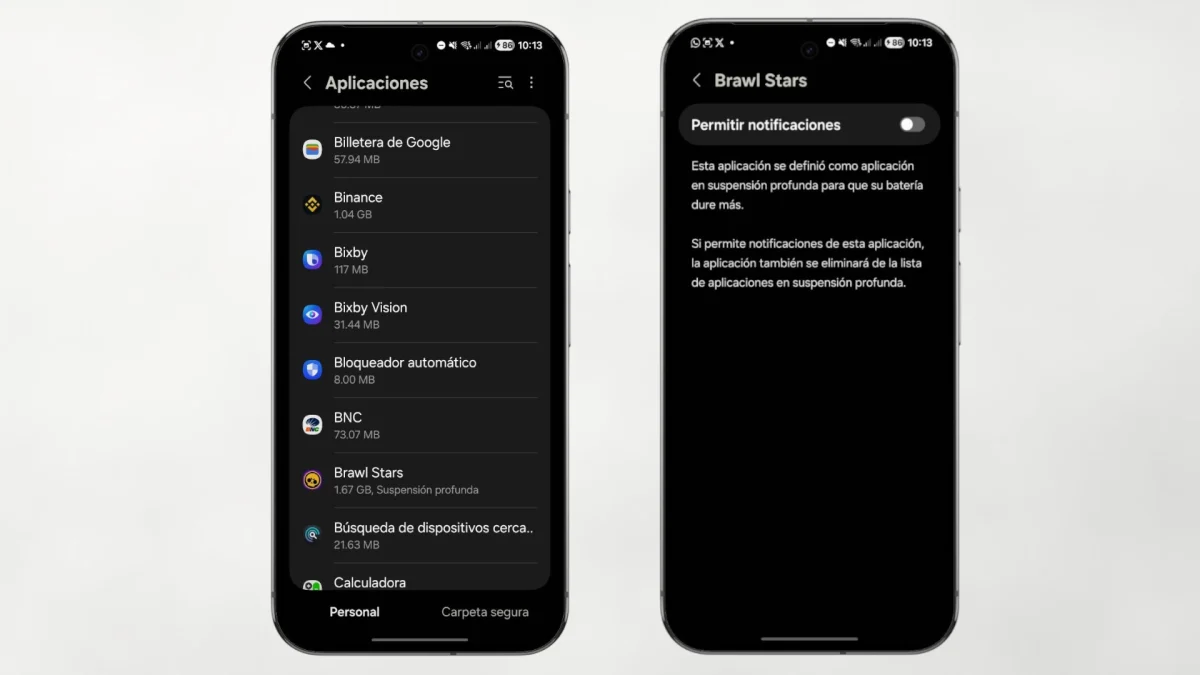
Notifications are the heavy artillery of the attention economy. Each vibration is a small call designed to take you out of what you are doing and drag you back to the app. The solution is not to disable all of them — there are some that you do need — but to do a serious sifting.
Go into the settings and review them app by app. Deactivate everything that isn't really urgent: likes, WhatsApp group updates that you don't read, newsletters, store offers. Stick only to the ones that require a real response: calls, direct messages from people close to you, critical work alerts. The difference in mental peace is noticeable in a few hours. Some systems also allow notifications to be grouped to receive them in bulk at specific times of the day, instead of drop by drop in real time.
Apps for when native tools fall short
If what the standard phone offers does not suit you it is enoughthere are specific options that have matured quite a bit in recent years.
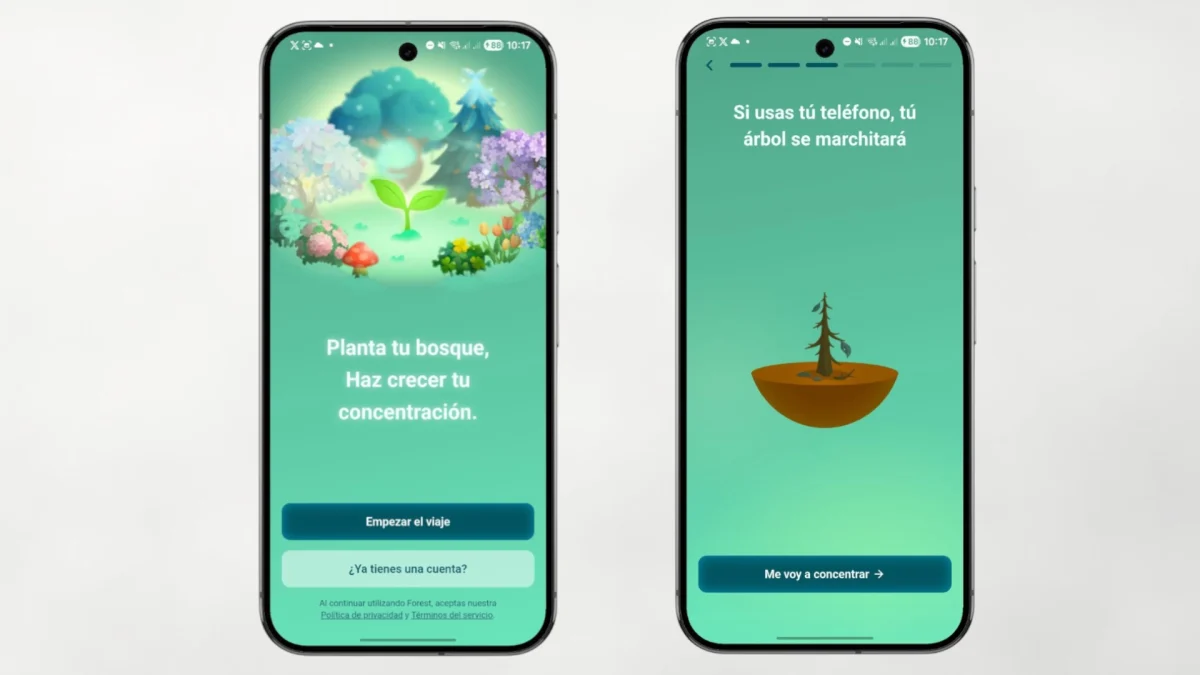
Forest, available on Android and iOS, it is the best known and works through gamification: you plant a virtual tree that grows while you don't touch the phone. If you use it before the marked time is up, the tree dies. It seems silly, but it works for many people precisely because it turns abstinence into something visual and with consequences. Stay Focused on Android and AppBlock on iOS are more forceful: they block applications and websites with a higher level of customization than native tools, and include a strict mode that prevents you from easily deactivating them when you get the hang of it.

flipd It adds something that the others don't offer: you can set up automatic responses for calls and messages while you're focused, so you don't leave anyone unanswered without having to look at your phone. And for those who work best with defined blocks of time, any app based on Pomodoro technique —25 minutes of work, 5 minutes of rest—helps structure the day into periods where the phone simply does not fit.
Habit changes that last more than three days: addictive apps away
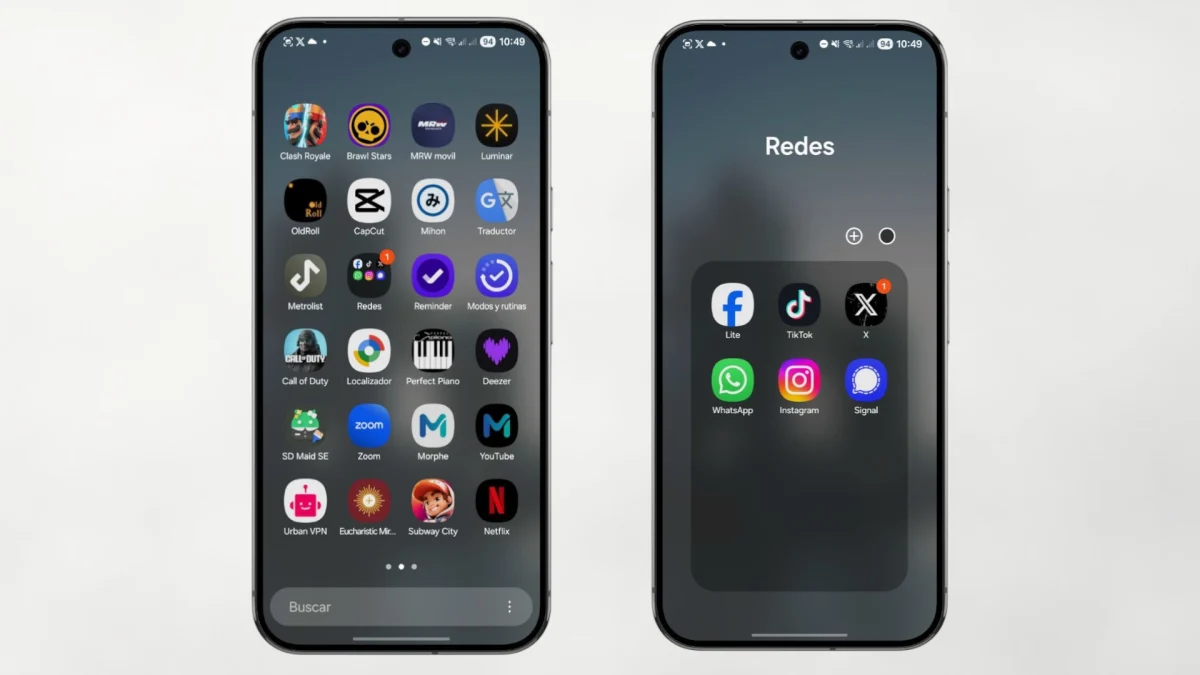
It also helps to place the most addictive apps away from home screen. No need to delete them: put them in folders on the third or fourth screen. That small obstacle—looking for them instead of opening them with a touch—breaks the automation and gives you a second to decide if you really want to enter.
The tools contribute, but the most lasting change comes from modify certain daily behaviors. Some that work better than ambitious resolutions that evaporate after a week:
Don't take your cell phone to bed. Charge it in another roomor at least away from the table. The habit of checking it before going to sleep and as soon as you wake up is one of the most difficult to break, and also one of the ones that most affects rest. A five-euro physical alarm clock solves the only real excuse to have it nearby.
Instead of trying not to look at your phone in a vague and unstructured way, decide what times of day you can do it: for example, at noon for 15 minutes and in the afternoon after work. Outside of those ranges, the phone can wait. It is more effective than resisting the impulse every time it appears, because you do not depend on willpower at each moment, but on a rule that you already took cold.
Something similar happens with physical spaces. Having areas at home where the phone does not enter – the dining room, the bedroom – changes the dynamic: meals they are conversations againand the room becomes a place of rest again.
And finally, look for the substitute. Many people grab their cell phones simply because they don't know what to do with their hands or because they are bored. Have something alternative nearby —a book, headphones, something to draw— makes it easier to break automatism without having to make an effort of will each time.
Use it wisely, don't leave it
The goal is not to live without a phone or feel guilty every time you look at it. The idea is simpler: that you are the one who decides when you use it, and not the other way around. Regehr calls it «digital nutrition»and the term is quite accurate: it is not about fasting, but about choosing what you consume and in what quantity.
Digital platforms make money the more time you spend on them, and their algorithms are designed to keep you scrolling. Knowing this mechanism does not completely neutralize it, but it gives you perspective to act with more intention. With any of the tools in this guide, it's already a good starting point.
If you also want to get more out of the apps that you do decide to keep active, you may be interested in taking a look at our guide to 20 Telegram tricks that you probably didn't know: from scheduling messages to forming your own personal cloud, there are functions that greatly change the way you use the application.