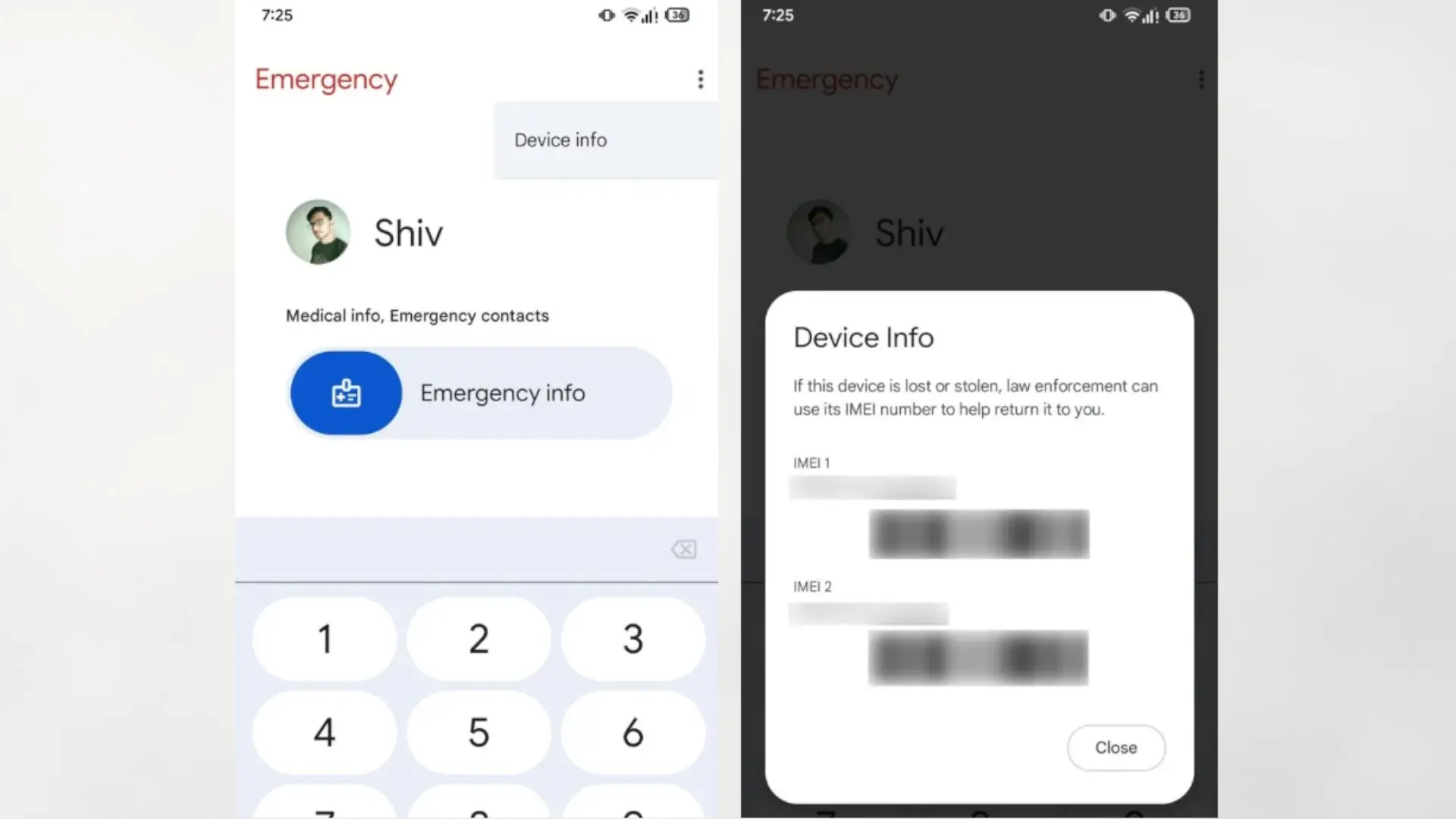

Google is testing a major change to the app Personal Safety that could make the IMEI of your mobile appears on the lock screen, in the emergency menu. The clue comes from an analysis of the latest version of the application, where a new option has been discovered. «Device information» which shows the device ID without needing to unlock it.
Until now, Android avoids showing the IMEI while the phone is locked, precisely because it is considered sensitive data. The idea of Google would take advantage of the emergency screen so that the police and security services can consult the device number and check if it is lost or stolen, without touching the rest of your personal data.
How the IMEI would work in the Google emergency app
The change has been located in a recent version of Personal Safety (v2025.11.13.831777920), the application that manages functions such as accident detection, emergency notification and the medical record on the lock screen. In the emergency dialer, which is accessed from the lock screen, a new menu called «Device information» in the upper right corner.
When you click on that menu, the application would display the phone's IMEI along with a message explaining that law enforcement can use that number to help you recover the device if it has been lost or stolen. The operation would be simple: in case of loss, another person could read the number and help you locate the device more quickly, at least in theory.
Today, the emergency screen Personal Safety allows you to see medical data, emergency contacts and some basic information, but does not show the device identifier. Since this novelty depends on a Google application and not a complete update of the Android operating system, the change could come through a simple Play Store update and will probably be implemented first on Pixel phones before being extended to other compatible models.
Why Google had previously rejected showing the IMEI on the lock screen
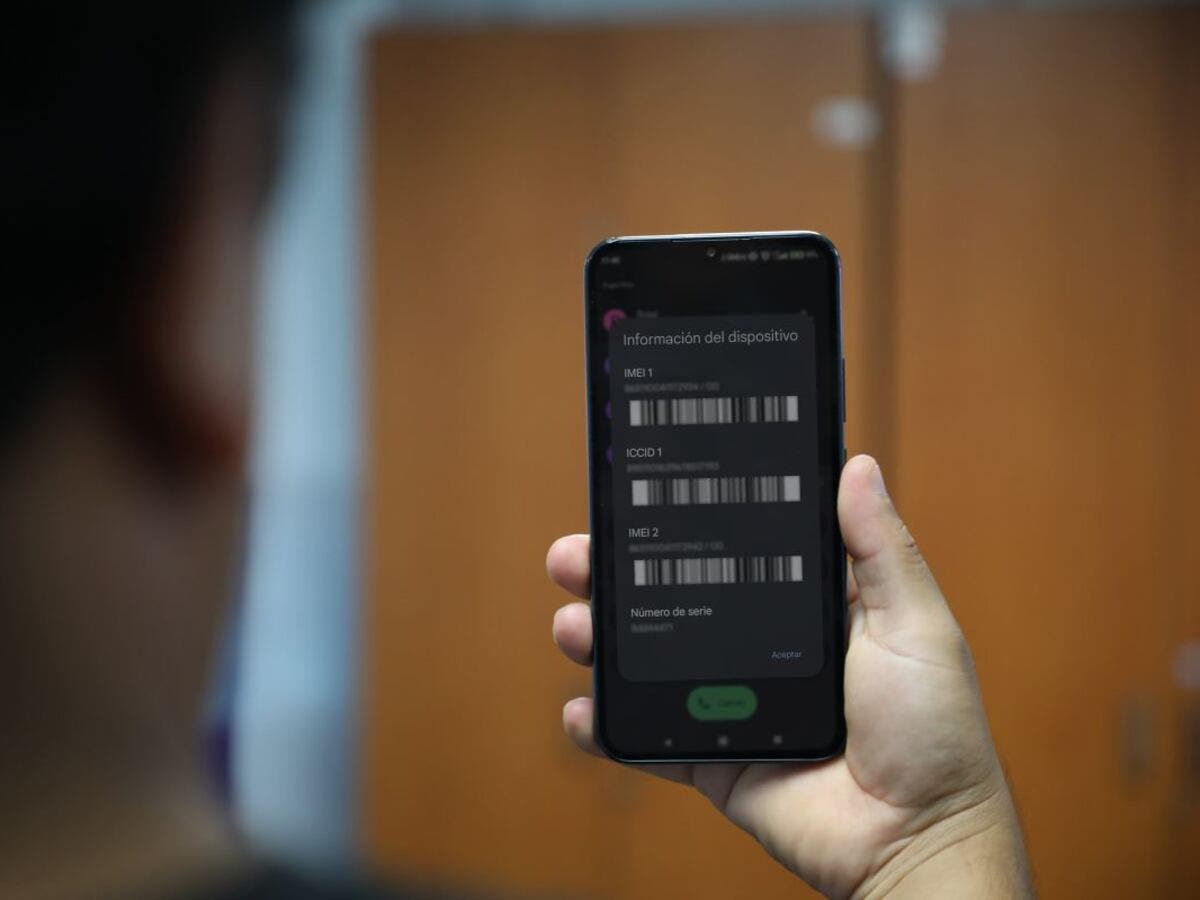
The curious thing about this movement is that it collides directly with the official position that Google adopted just a few months ago. A user asked the Android bug tracker to enable a way to view the IMEI from the lock screen so the police could check if a phone was stolen without forcing the owner to unlock it or do a complete erase.
Google then closed the petition as “not going to be corrected”, arguing that the IMEI is personally identifiable information and that showing it on the lock screen could facilitate abuse, for example, someone writing down the number and reporting the mobile phone as stolen without the owner's authorization. Even so, he defended that this measure would allow us to avoid unnecessary seizures of cell phones, whose sole purpose is to check if they have been stolen, thus better protecting the owner's privacy.
Advantages, risks and possible adjustments of this novelty
The possible access to the IMEI from the lock screen has a clearly positive side: it facilitates the recovery of lost or stolen mobile phones and allows authorities to verify the status of a device without anyone having to hand over your PIN or fingerprint. It can also be useful for procedures with the operator if you only have physical access to the phone but cannot unlock it.
On the negative side, displaying that unique number from the lock screen expands the attack surface: the IMEI can be used to spoof devices, commit fraud, or more easily link a specific cell phone to a person. Therefore, many experts believe that, if Google continues, it would be logical that this function could can be activated or deactivated freely by the userwith a clear switch inside Personal Safetyand even allow companies or administrators to disable it on corporate devices.
At the moment, everything is based on code in development within an app and not on an active function for users. As is often the case with APK analyses, there is no guarantee that the new feature will reach the final version as is. Would you like to be able to see your mobile's IMEI from the lock screen or do you prefer it to remain hidden to reduce privacy risks?