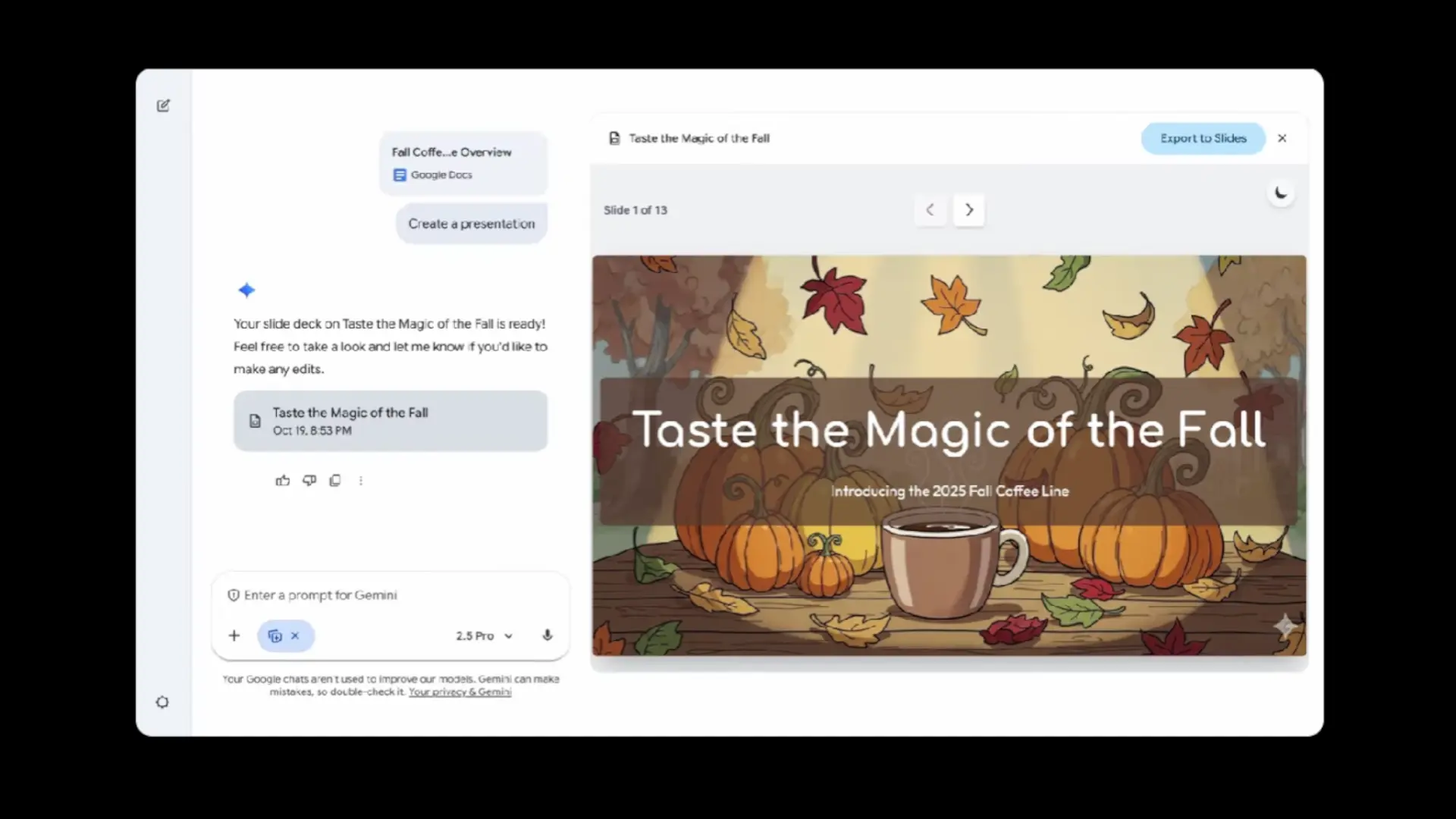

Google is expanding the reach of Gemini Canvas with a function that promises to save time for students and professionals: convert a document, or even a simple text, into a well-structured presentation, with design and visual elements, ready to export to Google Slides. The feature is being progressively rolled out to personal and Google Workspace accounts, and fits with Google's strategy to bring generative AI to the workflows we already use every day.
Unlike other wizards that only suggest titles or outlines, Canvas generates a first draft formatted and themedwith already structured slides and summarized content. You can then open it in Google Slides to polish text, adjust images, or change the template. It's a logical step after turning Canvas into a workspace where you can write, organize ideas, and ask Gemini to rearrange content or adjust tone before presenting.
How it works and who can use it
The process is direct: in Canvas, you upload a file (report, PDF, notes) or write a short prompt with the topic you need. From that material, Gemini creates a presentation with logical sections, titles, vignettes and visual resources consistent with the topic. The result can be export to Google Slides to finish off details, add presenter notes, or collaborate with the team from the Gemini side panel.
Regarding availability, Google indicates that the rollout has already begun, initially prioritizing certain payment plans within personal and Google Workspace accounts. It does not require learning a new tool: everything happens within the Gemini app's own Canvasand the final adjustments are made in Google Slides, where it is now possible to generate new slides, summarize content and create images with the help of Gemini. Focus reduces frictionbecause it transforms the draft into a presentation without forcing you to change ecosystems.
Why it matters for Android and mobile productivity
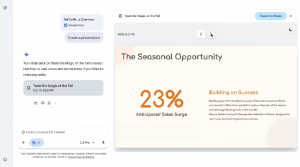
For those who work from an Android phone or a Chromebook tablet, this function fits a very real use: transforming notes, summaries or documents from Google Drive into a presentation ready in few minuteswithout going through empty templates. It also benefits teaching and sales or marketing teams, where version 1.0 of a presentation is usually the biggest barrier. With Canvas, that first step is done, and time is spent reviewing, not to fight with the format.
In addition, Google's movement competes face to face with other AI solutions that already generate slides from prompts. The difference here is the Native integration with Google Slides and Google Drivesupport for Gemini features in the side panel, and the ability to leverage previous materials saved in the cloud. If Canvas already helped you write and reorder ideas, now It also generates the initial presentation so you can focus on the message.
Is it the push Google Slides needed?
Google continues to integrate really useful functionalities within Gemini, as happened this week with Live to maintain some clearer conversations with artificial intelligence. Finally, if its deployment is consolidated, we are talking about an improvement that can change habits: fewer hours in format and more in content. The challenge will be to achieve consistent results in Spanish and in technical topics, and for the teams to adopt good practices for reviewing data and citations. Do you find it useful that Canvas generates the first version of your presentations? We read you in the comments.