



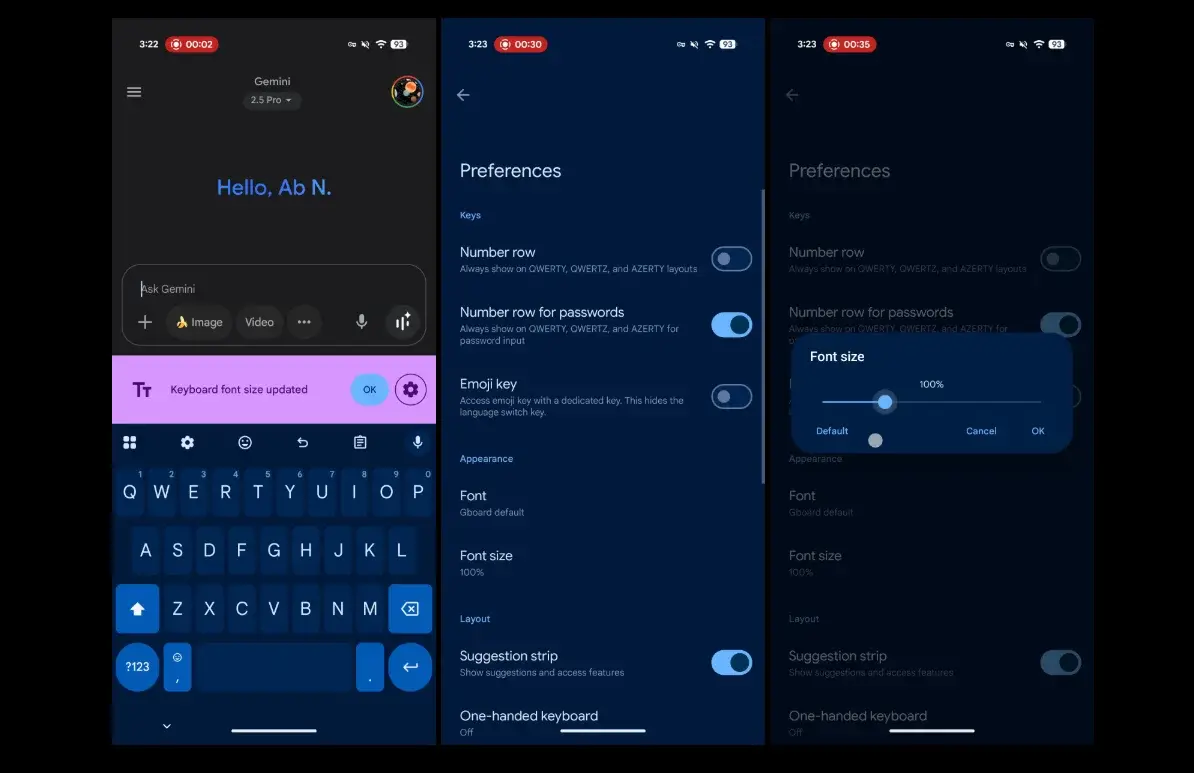

The novelty arrives progressively and, for now, is being seen in the most recent beta version of the keyboard. The adjustment allows to expand or reduce the size of the GBOARD typography with several predefined steps and without affecting the rest of the mobile interface. It is also accompanied by other visual touch -ups and a reorganization of the settings menu that facilitate the most used options.
More customization and accessibility on the Google keyboard
The new source control appears in preferences and offers increases that go From 85 % to 200 %. The behavior predetermined It is the same as the system, but when moving the slider you can set an independent size of the mobile. This is especially useful if you usually write on motion or if you need to improve readability without touching the rest of Android elements.
In addition to the Letters and numbers of each keythe change also adjusts the size of the Toolbar icons of the keyboard, so that the entire GBOARD interface scale coherently. At the other extreme, the Emojis do not change In size with this adjustment, so they maintain their usual appearance not to break the selector's grid.
Unlike the classic option of Keyboard heightwhich modifies the surface that GBOARD occupies on the screen, this control acts only on the Typography and icons. The result is a keyboard that looks bigger (or more compact) without losing vertical space or covering more screen content.
Thus you can activate the new adjustment in GBOARD
The route is simple: GBOARARD ADJUSTMENTS> PREFERENCES> SOURCE SIZE (within appearance). The option appears like the system and, when you touch it, you will see a Slider with steps of 85 %, 100 %, 115 %, 130 %, 150 %, 180 %and 200 %. Choose the point that best works for you and the preview will show you at the time how the keyboard is.
If you don't appear yet, try GBOARD from Google Play and check if you are in the most recent beta version. The deployment is gradual, so it can take a few days to activate on all devices. In the Shared captures For those who already have it, it is appreciated that the notice “the source size of the keyboard has been updated” opens a direct access to this new panel.
Other visual changes in Gboard that arrive at the same time
In parallel, Google is applying a series of Design touches In Gboard. The Suggestions pull Now adopt a Design in pills (instead of rectangles) and the menu of Adjustments has been reorganized To better group the most frequent options. Preferences gain sections such as distribution, direct accesses and key pulsation, where it is easier to activate or disable adjustments such as the point with double space, vibration or duration of prolonged pulsation.
These changes do not alter the operation of the keyboard, but improve the ease of discovery of functions that many users did not know that they existed. And, above all, they accompany the new source control so that customization and accessibility weigh more in the general experience of the keyboard.

A small change that greatly improves experience
That Gboard allows Adjust the source size It is a historical request of the community. For those who write a lot on the mobile, for users with Vision problems or simply for those who prefer a keyboard more compact Let it see more content, it is an improvement that shows from the first use. And if we add the design and adjustments to that, GBOARD reaffirms as a lighter, flexible and, ultimately keyboard, in short, more useful.
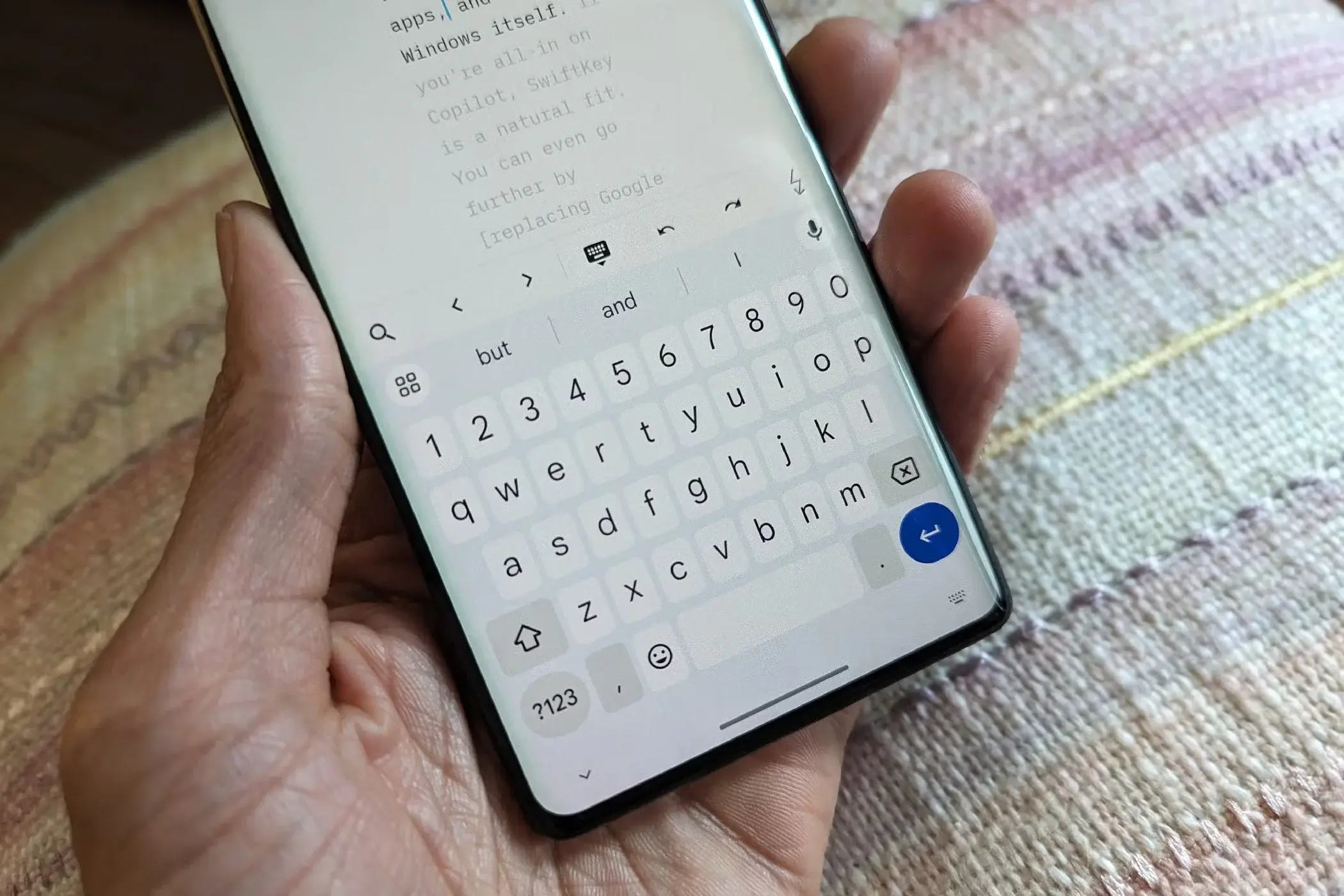
Compared to the keyboard Samsung either Microsoft Swiftkeyall these novelties cause a great impact on the community, since most Android devices come with this keyboard by default. Although, although it is true, the main rival, who has been improving in customization and fluidity, has undoubtedly been Samsung.
We will see how all this is evolving in an application that, for all of us, has to live up to the demands, since it is vital that, at least, has good performance, personalization and functionalities Unique, an addition that the user will always thank.
Has the new source size control has arrived? With what percentage do you find more comfortable to write on a day to day?
