



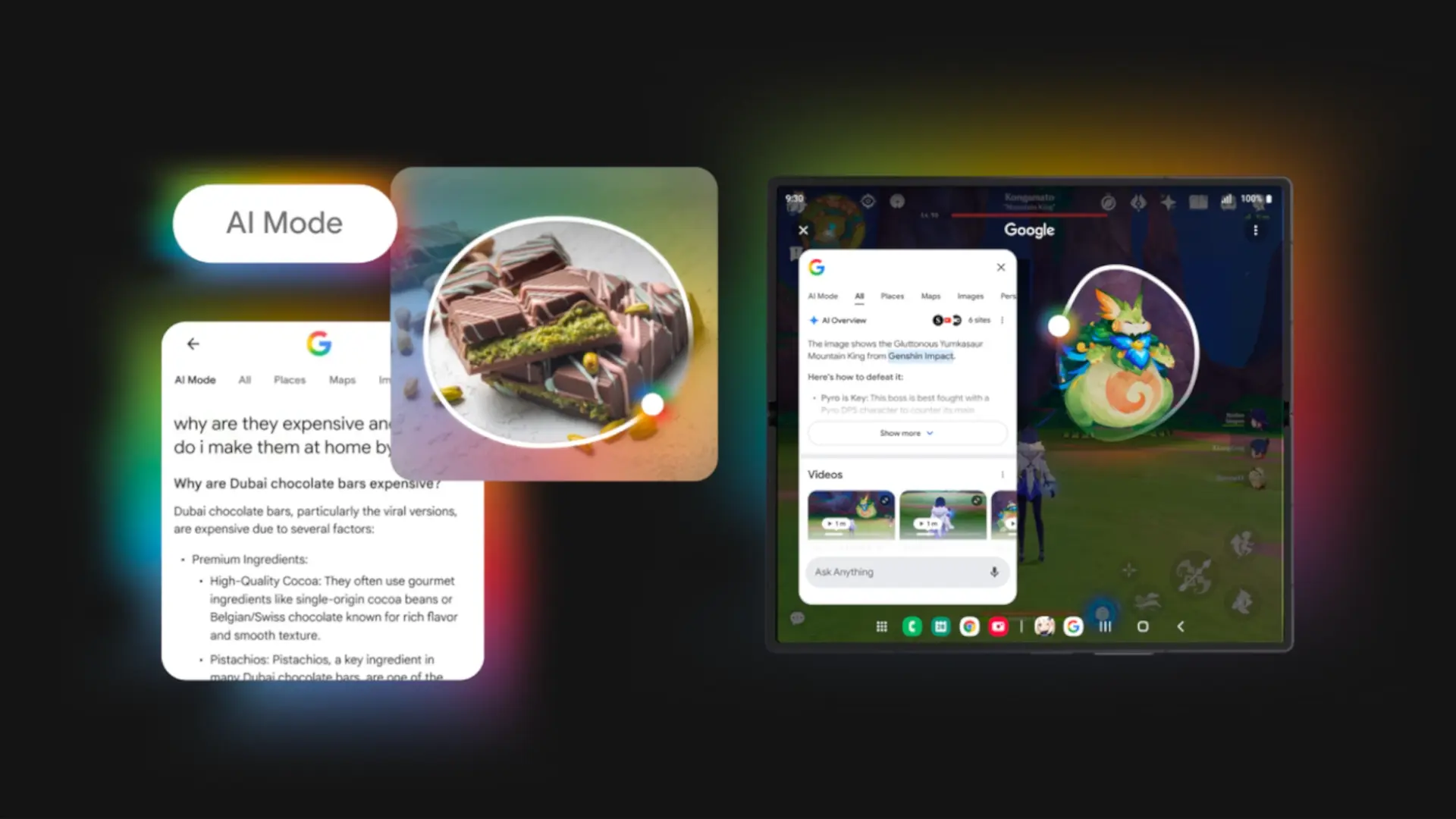

Google continues to press the accelerator with artificial intelligence on Android. The latest news comes to Circle to Searchwhich now defaults to sending text searches to AI ModeGoogle's advanced search mode, instead of limiting itself to the classic image search engine. It's a minor change to the interface, but very significant in the way you interact with what appears on the screen.
Until now, when you used Circle to Search and wanted to refine the results with a written question, the results were based on a conventional search. With the new version of the Google app, which has begun to be deployed, those questions are processed directly by AI Modewhich generates responses with more powerful models designed to help you better understand what you are seeing and not just find links.
What exactly changes when using Circle to Search?
The novelty comes in the form of a new search box at the bottom from the Circle to Search results screen. From there, you can write any additional questions about the image, text or video you have marked. The difference is that instead of opening standard web results, the response is now provided by AI Mode, with summaries and additional context.
In practice, this means that you can chain several questions about the same element without leaving the app that you were using. For example, you can select a pair of shoes in a TikTok video, ask for similar styles, and then write something like “Are these good for trail running?” and let AI Mode combine what the image shows with information from the web. In short, the idea is that you can interact with the screen as if it were an intelligent chat integrated into your mobile.
Additionally, this change fits with other recent AI Mode improvements, such as trip planning or help with study tasks. Now it is easier to transform a simple capture into a sequence of queries: from understanding a physics concept that you are seeing in a PDF to requesting a summary of a tourist place that appears in a photo or video on social networks.
Current availability, requirements and limitations

The new Circle to Search behavior is tied to a recent version of the Google app for Android and is being deployed gradually. You may see the new search box at the bottom, but it may still take a little longer for AI Mode to activate depending on your country or account. As is usual with Google launches, it is done in waves and not all users receive it at the same time.
It must also be remembered that AI Mode is not available in all markets. Officially, it has been launched first in some countries, for example, the United States and India, so in Spain and Latin America it may, for now, Circle to Search Keep combining classic results with AI answers only if you have search experiments enabled. Still, Circle to Search already works on hundreds of millions of high-end Android devices, from brands like Google and Samsung.
More artificial intelligence integrated into the screen
The integration of AI Mode in Circle to Search is one more step in Google's strategy of turning search into something contextual and continuous, not just a bar where you can type from time to time. If you already used the function to translate texts, identify products or search for songs, now you can go much deeper with chained questions without jumping between apps or browser tabs.
As AI Mode and Circle to Search reach more countries and devices, this combination can change the way we use our phones to learn, shop, or simply answer quick questions about what we see on the screen. Do you like that Google includes more and more AI in the search or do you prefer to continue using the traditional search engine?


