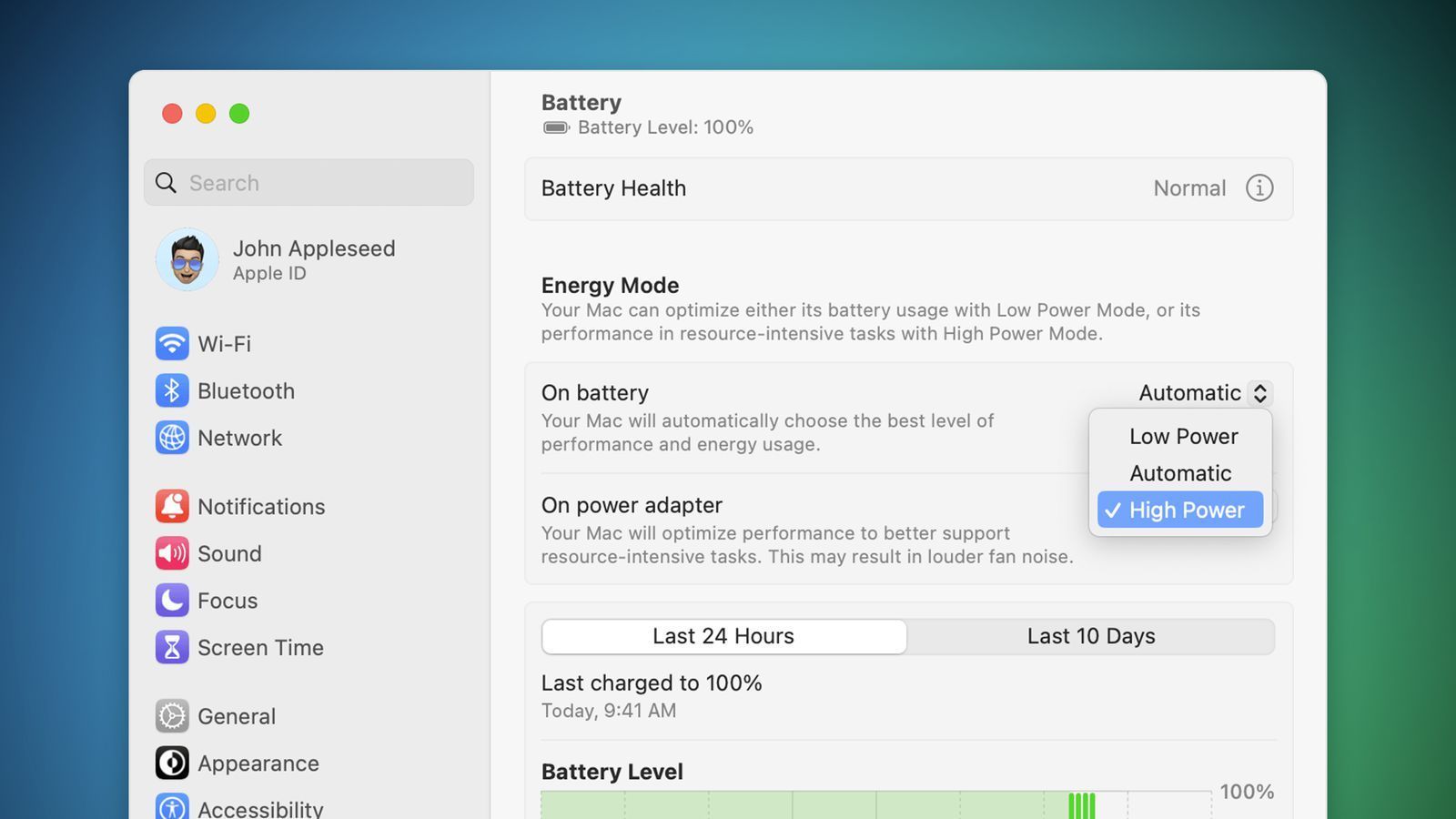

Apple continues to expand the availability of its High Performance mode to more Macs. Initially reserved for 16-inch MacBook Pros equipped with M-Max chips, this functionality now arrives on models equipped with the M4 Pro chip.
Mixed results
Last year, Apple had already expanded access to High Performance mode to 14- and 16-inch MacBook Pros equipped with the M3 Max chip. This year, it’s the turn of Mac mini and MacBook Pro equipped with the M4 Pro processor to benefit. A first for a Mac equipped with a “Pro” and not “Max” chip.
According to tests carried out by Andrew Cunningham ofArs Technicathe performance gains are “negligible” on the Mac mini M4 Pro. High Performance mode mainly results in a significant increase in fan noise, without any noticeable improvement in performance in most cases. The journalist specifies, however, that his tests were relatively short and that the benefits could be more noticeable on workloads especially for graphics-intensive tasks like grading 8K videos.
How to activate it?
High Performance mode can be activated in System Settings, under the “Battery” or “Energy” tab. Simply select the “High Performance” option from the “On Battery” or “On AC Adapter” drop-down menus. Apple specifies that this function can be used whether the computer is plugged in or not.
Note that this new feature is part of Apple’s strategy aimed at offering ever greater performance on its Macs, even if in this specific case, the benefits still seem limited on the M4 Pro models.