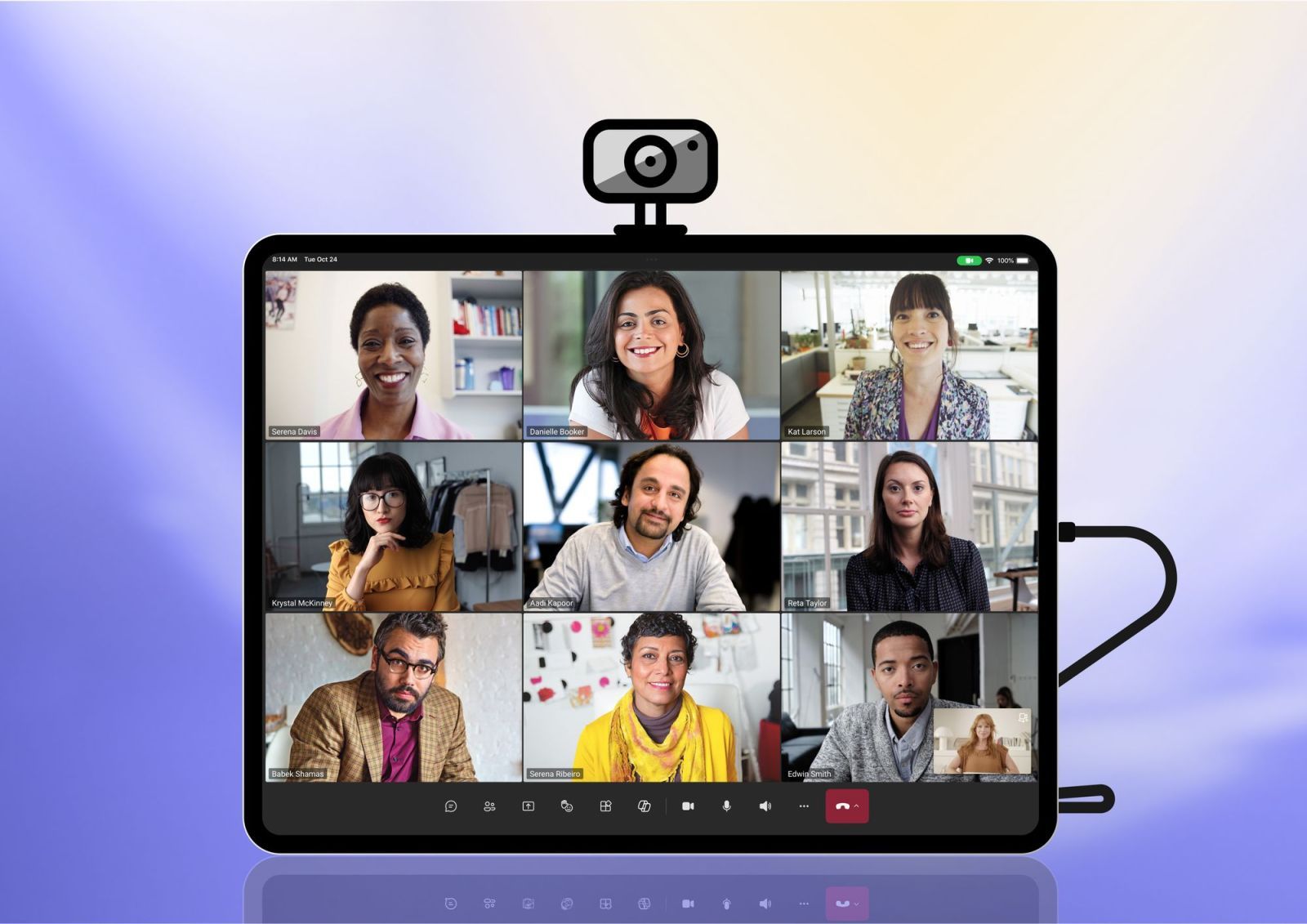

Microsoft’s video conferencing app takes the next step on iPad with support for external cameras via USB-C. An expected feature that significantly improves the quality of video calls, particularly for professional users. This new feature builds on the capabilities of iPadOS 17 which introduced native support for external webcams. It therefore took more than a year for Microsoft to get up to speed.
Simple and efficient integration
Microsoft wanted to make using external cameras as simple as possible. Simply plug your USB-C webcam into the iPad, whether before or during a Teams call, for it to be automatically detected and used. To return to the iPad’s front camera, simply unplug the external webcam.
Note that there are no native controls yet in Teams or iPadOS to manually switch between the two cameras
— the application will always favor the external webcam when connected. The good news is that most USB-C webcams on the market are compatible, giving users plenty of choice.

Significant advantages for professionals
This new feature responds to a growing demand from professionals who are increasingly using the iPad as their main work tool. Using an external camera brings several major advantages:
- Better image quality with higher resolution
- A wider dynamic range for better brightness management
- The ability to adjust the angle and framing as needed
- Greater flexibility in installation for presentations
Microsoft also recommends some best practices to optimize the experience, such as using a tripod to stabilize the camera or taking care of its lighting for more professional calls. This update is a continuation of Microsoft’s efforts to optimize Teams on Apple devices. The app already supports specific features like Center Stage on compatible iPads, which allows you to automatically stay in focus even while moving.
For users of iPad Pro M1/M2/M4 and iPad Air M1/M2, who already have excellent front cameras, this new feature offers even more flexibility for their video conferences. For example, we can imagine using an external webcam for more creative angles during presentations or demonstrations.
The update is available now in the App Store and requires iPadOS 17 or later to work with external cameras.
Download the free app Microsoft Teams