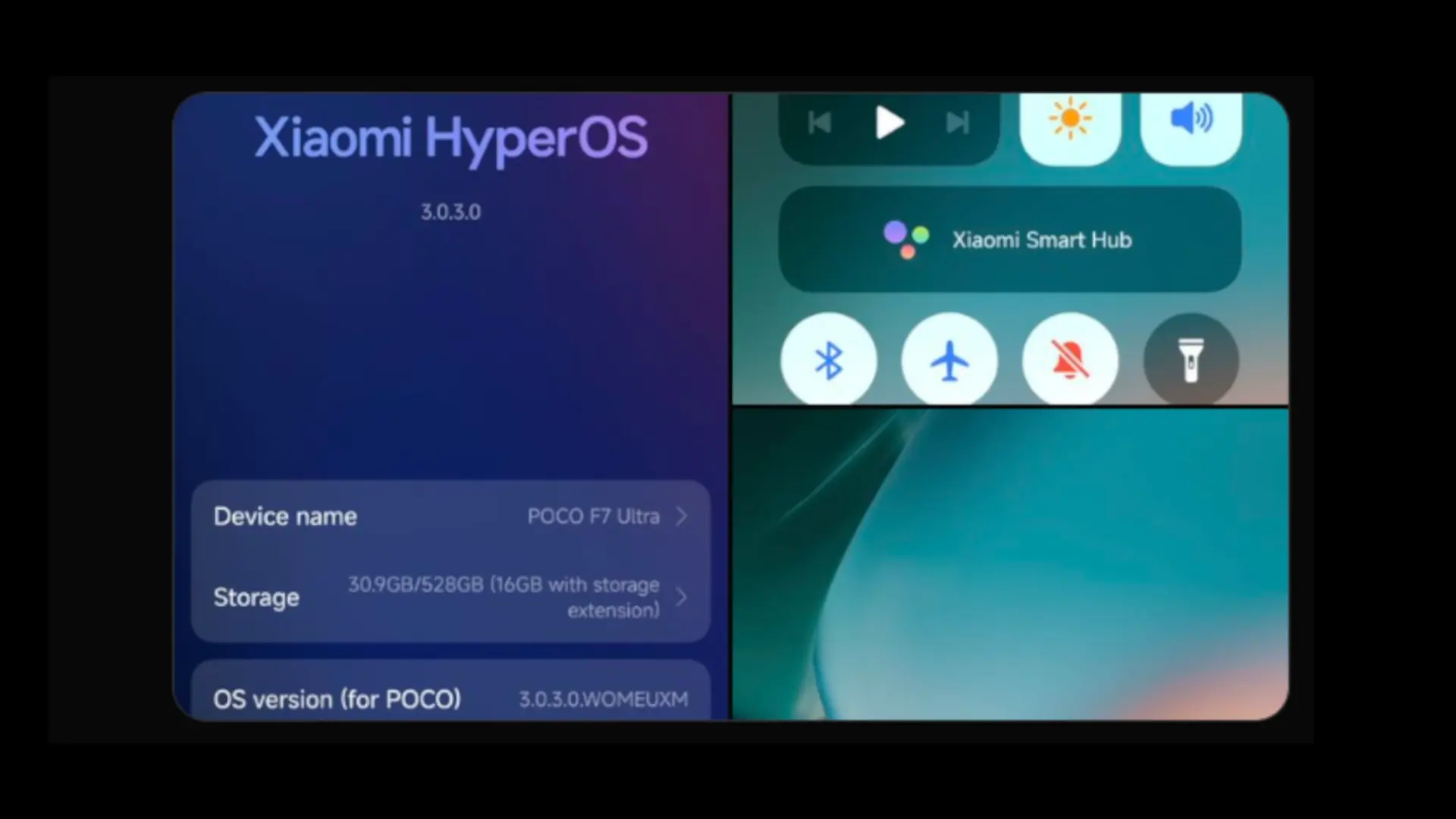

POCO has started updating the POCO F7 Ultra to HyperOS 3 based on Android 16 on October 31. It is the first stable version for a mobile phone of the brand, and it will be distributed by regions in different phases. The download is heavy; It is best to prepare the device: make sure the battery is above 50%, have a stable Wi-Fi connection, and make a backup, as a precaution. The jump brings improvements in fluidity, animations, multitasking, privacy and AI functions that we had already seen in the last batch from Xiaomi.
In addition to the changes in Android 16, HyperOS 3 adds its own new features such as Hyper Islandthat “center” in the form of a pill with live activities and quick access; a redesign of icons and lock screen, and new performance adjustments that improve opening times and background consumption. In practice, the interface moves more smoothly and there are more customization options without losing the characteristic MIUI/HyperOS style that POCO users are accustomed to.
What HyperOS 3 brings in the POCO F7 Ultra
POCO F7 Ultra HyperOS 3 EEA Stable Update Released for the public users
Version: OS3.0.3.0.WOMEUXMDownload Link: pic.twitter.com/LuZiBfjGWG
— Tech Mukul | hyperosinsider.com (@TECH__MUKUL) October 31, 2025
On a visual level, you will notice smoother animations and a faster app launch. The layer adds dynamic backgrounds, interactive widgets or widgets with real-time information and more freedom to configure the lock screen. In terms of performance, resource management is more aggressive when the phone is at rest and, when playing, the system better maintains the frames per second with fewer thermal peaks. Tools also arrive AI such as assisted writing in Notes, voice transcription and translation, and summary functions.
In security, Android 16 introduces a clearer Privacy Center, more granular permissions, and improvements in process isolation. HyperOS 3 accompanies with fine-tuned connectivity settings between devices in the ecosystem (mobile phones, tablets, watches and televisions), to facilitate the exchange of content and the continuity of tasks is simpler.
When does it arrive and how to update
Deployment has begun October 31 and will continue in waves over the next few weeks. He POCO F7 Ultra is he first LITTLE in receiving it in a stable way; other models of the F7 and X7 series will follow. In Europe, the package can be identified with a build OS3.0.3.0.WOMEUXM and a size close to 7GB (the figure may vary depending on the region).
To update, go to Settings > About phone > HyperOS version > Check for updates. If it doesn't appear, be patient: updates are released in batches and may take several days to reach all users. Make sure you have enough free space and if you are coming from a beta, you will need to download the full package.
Is it worth installing it now?
If you use the POCO F7 Ultra as the main motive, the fluidity and autonomy improvements They are noticeable from day one, and the AI features and productivity improvements are useful in daily use. Our recommendation is to update as soon as you receive the notice, after making a backup and with a Wi-Fi connection. If you depend on a critical app for work, wait 24-48 hours and check that no crash reports appear in your region.
Have you already received HyperOS 3 on your POCO F7 Ultra? How are the performance and battery going after the jump to Android 16? We read you in the comments.