
Google has just released a long-awaited update to its wearables ecosystem that changes the way we interact with our watch. If you own a Pixel Watch 4you're in luck, because your device just became much more capable without needing to touch the screen. The company has introduced new one hand gestures that promise to facilitate those situations in which your hands are busy, such as when you cook or carry shopping bags.
This update does not arrive alone; It also brings significant improvements in integrated artificial intelligence. Although the gestures are exclusive to the latest model, the improvements in the smart answers They also land on the Pixel Watch 3. It is a movement that brings the user experience closer to what we have seen in competitors like the Apple Watch, but with the distinctive touch and integration of Google.
Full control with a “double pinch” and wrist twists
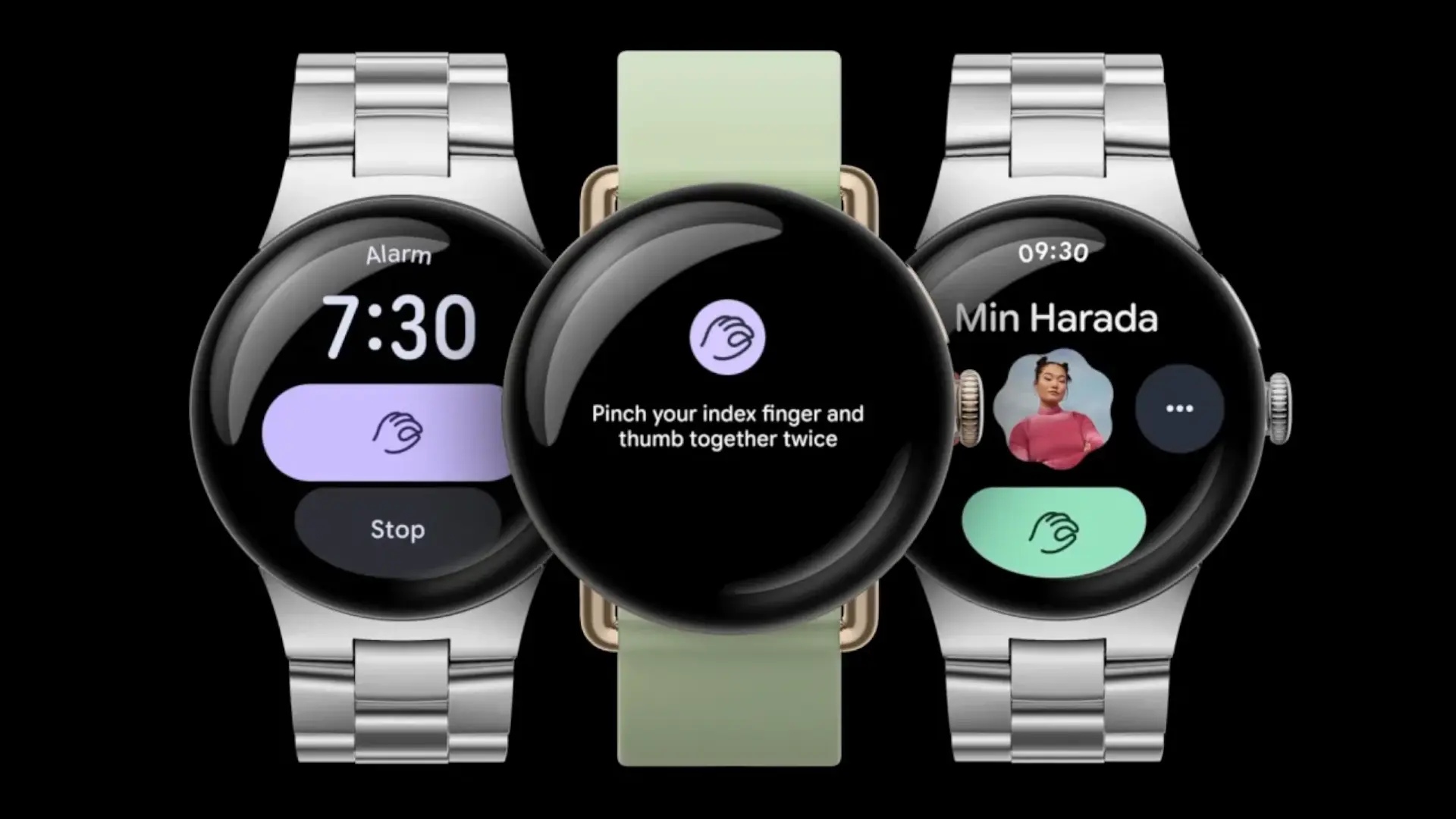
The star of this update is the gesture “double pinch” (double pinch). By simply tapping your index finger and thumb twice quickly, you can perform a wide variety of actions. Imagine stopping a timer, pausing your favorite music, snoozing a morning alarm, or even answer and end calls without touching the clock. You can also scroll through notifications or take a photo from a distance. The system is smart enough to show you on-screen suggestions for when you can use this gesture.
On the other hand, we have the “wrist turn” (wrist turn). This gesture is perfect for those moments when you need to quickly rule something out. With a quick twist of your wrist out and back, you can silence incoming calls or delete notifications that do not interest you at that moment. It's a discreet and quick way to handle interruptions without appearing rude or having to use your other hand.
Faster, more efficient AI on your wrist

Beyond physical movements, Google has enhanced the brain of its watches. The improved smart answers (Enhanced Smart Replies) now work thanks to a new on-device language model based on Gemma. This means that response suggestions are more natural and contextual. For example, if someone asks you if you need lemons, the watch might suggest asking “How many do you need?” instead of a simple “Yes” or “No.”
The best thing about this improvement in AI is its efficiency. Google claims that this new model is twice as fast and consumes half the energy than the previous version. This guarantees that stay connected Don't drain your watch's battery so quickly. This specific feature is not exclusive to the latest model, but will also be available to users of the Pixel Watch 3democratizing this December's software improvements a little.
Do you think these gestures are really useful in everyday life or do you prefer the reliability of tapping the screen?