The laptop is the modern student’s inseparable companion. Whether taking notes in class or attending online lectures, a laptop is essential for higher education. We’ve selected the best student laptops available.
In 2025, having a reliable laptop is essential for studying: note-taking, homework, research, and video conferencing are all part of a student’s daily life. Choosing the right model must balance performance, battery life, lightness, and a reasonable budget. To put it simply, you have two philosophies to choose from: either invest a little more money now in a quality computer that will accompany you throughout your studies, or save as much as possible by opting for an entry-level PC for less than 500 euros, which will undoubtedly be less durable.
This guide offers products suitable for both of these paths, all under macOS, Windows, or ChromeOS. Let’s get started!
Accessories not to forget
To go with your computer, also consider getting a PC backpack. Also, take a look at our selection of the best USB-C hubs if needed. For advice on office mice, click here. If you have a larger budget, you might be interested in our buying guide to the best laptops.
The benchmark PC for students
Apple MacBook Air 13 M2 2022
It’s impossible not to mention the MacBook Air M2, which is arguably the most well-known ultraportable. The second edition of Apple’s flagship computer with an ARM processor is, indeed, a must-have. New models have been released since then, but only the 2022 M2 model is under €1,000 while they’re still in stock.
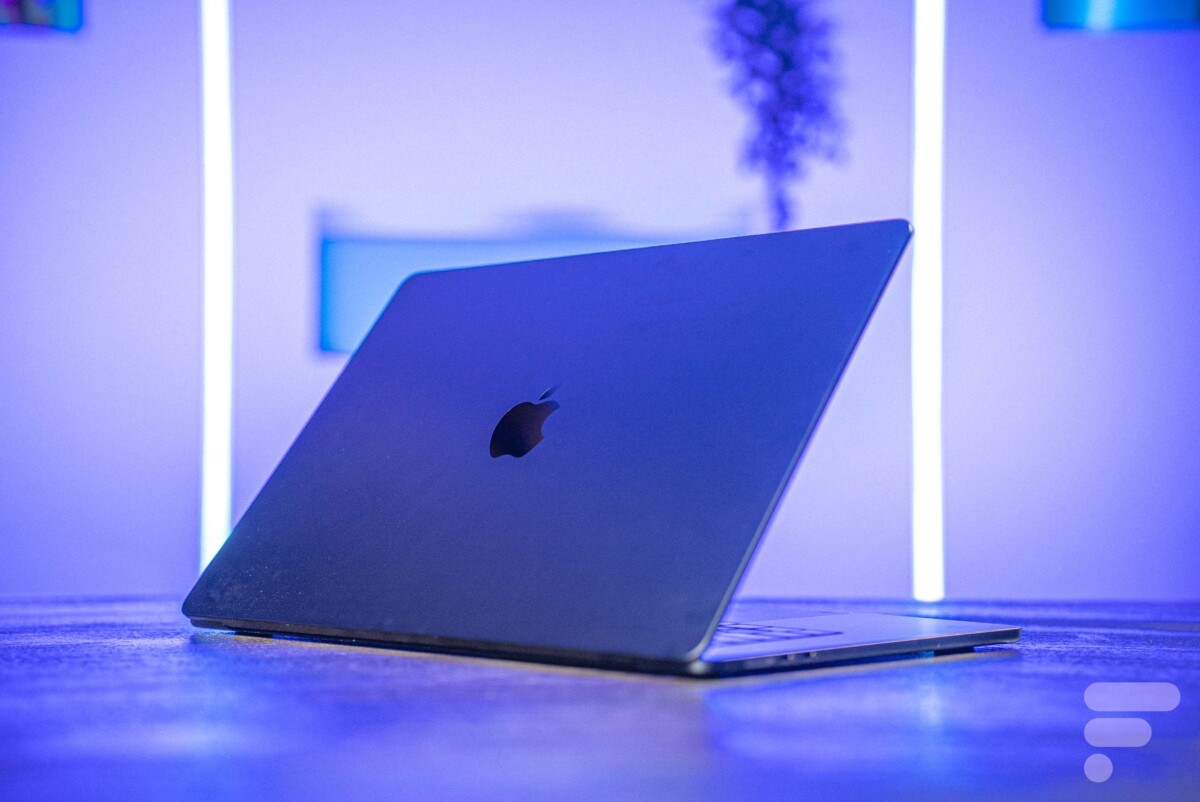
The Apple-made M2 chip, coupled with 8GB of RAM, is very efficient and will be more than enough for 95% of students—unless you’re studying video or photography. The battery life of a good ten hours is exemplary.
The MacBook Air’s chassis features premium finishes, a good keyboard and trackpad combo, and a quality display. It’s perfectly portable, weighing in at 1.24 kg. The only real criticism is its limited connectivity, which makes using a USB-C hub almost mandatory.
You’re probably thinking that the budget is high for students. However, in terms of value for money and durability, it’s as good as it gets. You’re investing 800 euros now, but we guarantee that this machine will last much longer than Windows laptops. It’s up to you to decide if you can afford to spend that much now.
In our opinion, this is the best investment for a student laptop, if you want to think long term: this is exactly what our journalist Juliette did, keeping her student MacBook Air for 10 years.
Also note that Apple offers an Education discount for students. If you want a MacBook Air M4 or a MacBook Pro (for example, because you’re studying graphics, video, etc.), this is a good way to save. The discount percentage varies depending on the product. For a MacBook Air, it’s 11%.
And of course, if your budget can stretch, treat yourself to a more recent model, the M3 or the M4, which has the main difference of bringing even more power.
Also, if you’re looking to upgrade to a MacBook Pro, we recommend looking at second-hand options: new ones are prohibitively expensive to get an M3 Pro or Max chip.
An inexpensive OLED ultrabook
Asus Zenbook A14 (UX3407)
As an alternative to Mac, if you’re a Windows fan, we wholeheartedly recommend the latest, slightly cheaper Asus Zenbook A14. It’s a configuration built around the Snapdragon X (X126100) chip.

The chassis is well-crafted, weighing a moderate 900 grams, making it perfect for carrying around. The keyboard and touchpad, while not the best on the market, are perfectly decent. The 14-inch OLED display remains a strength of this model, although some concessions will have to be made, notably the lack of an anti-glare coating. But the infinite contrasts are there, as is the good calibration.
The Snapdragon chip, coupled with 16GB of RAM, handles all office and leisure tasks without a hitch. The most impressive feature is undoubtedly the battery life: 20 hours of office use, making it extremely practical on the go.
At this price, you won’t find anything better on the Windows side: it’s a great value for money and a great value. We tell you all the good things we think about it in our review of the Snapdragon version of the Zenbook A14 OLED.
Lenovo IdeaPad Slim 3 14AMN8
However, students may have much less budget to allocate to their computer, as not everyone has the ability or desire to spend 800 to 1000 euros on a computer.
In this case, we recommend investing in brands like Lenovo (or Asus, with its Vivobook range), favoring AMD CPUs. In this sense, the IdeaPad Slim 3 is a good option at less than 500 euros.

Its very compact size (32.4 × 21.4 × 1.8 cm) and its moderate weight of 1.4 kg allow it to easily slip into your bag for a day of classes.
Inside: an AMD Ryzen 5 7520U processor (up to 4.3 GHz) based on a somewhat old architecture, but one that has proven itself. For office work, browsing, and multimedia, it’s more than enough. However, you’ll need to count on 7-8 hours of maximum battery life, which is no longer exceptional in 2025, but may be enough for many people. In addition, you can count on 16 GB of RAM and a large 512 GB SSD. Windows 11 is pre-installed.
Finally, the connectivity is wide and modern (two USB-A 3.2, one USB-C 3.2, WiFi 6, Bluetooth 5.2, an HDMI port, and even an SD card reader), and guarantees good versatility. There is a Full HD webcam with a privacy cover for video calls.
In short, a good option for a small budget.
A solid Chromebook
ASUS Chromebook Plus CX34 (CX3402)
Still, for smaller budgets, you can opt for a Chromebook, these computers that do not run Windows but ChromeOS. If you only do office work and browsing, this is ideal. The machine will be fast and will benefit from good battery life.

In this regard, Acer and Asus are the two manufacturers that hold the upper hand. We recommend the Asus Chromebook Plus CX3402, but you can also consider the Acer Chromebook Plus 515.
Coming back to the Asus Plus CX3402, we tested its 2024 version. In 2025, the model is similar, only the chip has been updated, going from the Intel i3-1215 to the i3-1315 for its cheapest configuration.
The machine also has a 14-inch Full HD touchscreen with a good anti-glare matte coating, 8 GB of RAM and 256 GB of SSD. The experience offered is particularly fast, thanks in particular to the integration of AI tools like Gemini. Expect up to 9-10 hours of battery life, with charging via USB-C.
You can read our CX3402 review for more details.
The 16-inch French PC
Altyk L16F-I3P16-N05
For those looking for a simple, understated, and reliable full-size PC, Altyk offers an attractive option. After testing the 16-inch version of its laptop, we can recommend it to anyone on a budget, especially students.

The Altyk L16F is designed and supported in France, although it is manufactured in China, like most competing computers. Distributed by LDLC, this will be very convenient in case of needing repairs.
Its aluminum chassis has a sober and solid look, with a contained thickness and controlled weight for an easily transportable 16-inch model.
Its connectivity is abundant and varied, even if we regret the presence of USB 2.0 ports which no longer really have their place in 2025. The 16-inch IPS screen is well calibrated and pleasant for office work thanks to full sRGB coverage, but be careful, its brightness remains too low for outdoor use. On the software side, we love it: the experience is pure thanks to the total absence of bloatware, delivering a clean Windows 11, which is rare enough to be highlighted.
Office performance is good thanks to the Core i3-1220P coupled with 16 GB of RAM, but the graphics part (Intel UHD) limits any advanced multimedia use.
Finally, regarding autonomy, the latter fluctuates between 6 and 7 hours, is correct without being exceptional, in line with traditional office laptops.
The other solution: an iPad and a keyboard
Many students are fans of an alternative: a tablet paired with a keyboard. In this case, we recommend you choose an iPad, Apple’s well-known tablet, which boasts the most advanced operating system in the tablet world.
Depending on your budget, you can opt for the recent iPad 11 with its A16 chip (around 400 euros), or an iPad 10 from 2022 (300-350 euros).

To go with this iPad, the best thing to do is invest in a keyboard, which also acts as a folio, i.e., a protective cover. We recommend the Logitech Combo Touch, which has the good taste of having a backlit keyboard with a full row of iPad OS shortcut keys, as well as a trackpad.
This iPad + keyboard combo can be very versatile and offers the advantage of unbeatable portability. However, make sure that an 11-inch screen is sufficient for your use.
In total, you’ll pay €553 for the iPad 11, and less for an iPad 10, especially second-hand, which is easy to find. Take a look at Le Bon Coin; you’ll see that there are plenty of offers. Be careful, however, to check a few things when buying second-hand: opt for an ad that includes the original box and receipt.
Which laptop should a student choose? Our advice
Chromebook, Windows, macOS: Which laptop should you choose for university?
While some would love to continue the eternal Mac vs. Windows war, we’re not one of them. Both operating systems are mature and generally pleasant to use.
macOS still has the edge in terms of finish and app quality, but these apps are more expensive and fewer in number than on Windows. Microsoft’s system has the major advantage of being more versatile and less locked down than its competitor.
Chrome OS and its ChromeBooks have also come a long way in recent years and are now perfectly usable for the vast majority of users who will not need software more advanced than office applications.
Then there’s the question of Linux. The open-source operating system now runs seamlessly on the vast majority of laptops. This makes it easy to install the distribution of your choice on your machine, whether you’re replacing Windows or using a dual boot.
Can I get student rates for my laptop?
Some manufacturers, such as Apple and Dell, offer student discounts. These are generally around 10% off and require a recognized student email address to use them.
While you can often find better deals with our great deals, these offers have the great advantage of being available year-round and are a reliable way to save money if you don’t have time to wait for the next promotion. Don’t hesitate to also check with your university or school administration to see if they have signed partnerships with software manufacturers or publishers.
Be careful, though: some unscrupulous establishments may insist on purchasing a specific model supplied by them or a partner seller. These machines are rarely worthwhile, and it’s often more advantageous to make your own purchases.
Can a tablet replace a laptop for studying?
With tablets becoming increasingly powerful and now equipped with accessories like keyboards, one might wonder whether they’re worth using in class. They’re very practical for reading and annotating documents. We particularly recommend an iPad, as iPad OS is truly comprehensive and pleasant to use. However, if you’re on a tighter budget, opt for a Xiaomi tablet and a small Bluetooth keyboard from Logitech.
What accessories for your student PC?
To go with your student PC, you may need a USB-C hub, especially for ultraportables. An external hard drive or USB flash drive for backups or large file transfers will also be useful.
And for those who will be working a lot at home, a suitable workstation is a must. Writing a dissertation will be much more comfortable with a large screen, a quality keyboard and mouse.
How to properly back up your data on a student PC?
We’re saving the best for last with one essential tip: back up your data, and do it regularly.
You don’t want to be that person who loses months, or even years, of work by forgetting their bag on the RER, after a system crash, or having your bag stolen at the university cafeteria. And who has to rewrite 50 pages from memory in 3 days.
So, at the very least, use a cloud backup solution of some kind and store all your school documents there. We recommend Dropbox (2 GB free) for its versioning capabilities, which will allow you to reverse your mistakes if you get confused. If you have a Macbook, iCloud is the way to go.
Add to that a physical backup, in the form of an external hard drive where you’ll regularly back up your important data. And there’s no question of taking it everywhere with you or lending it to friends: it must remain in a safe place.
We repeat one last time: take your backups seriously, it requires very little attention and will save you a lot of trouble.
What is the minimum price for a good PC?
We would tend to advise you to invest at least 600 or 700 euros in a computer. The goal is to acquire a machine with a minimum viability over time and that will not crash during the slightest multitasking. Forget “Celeron” processors and opt for at least an Intel i3, or even i5, although we advise you to rely more on AMD CPUs, which are generally less expensive for equal performance. By spending a little more, around 800 euros, you can find a laptop with an aluminum chassis rather than plastic, which greatly improves durability and solidity, as well as thermal management. By planning on 800-1000 euros, you are sure to have a solid, durable, and much more powerful machine. And if your budget really cannot exceed 500 euros, forget Windows and go for a Chromebook.