The launch of iOS 26 He has arrived with the promise of a great leap in design and functions promoted by AI, but also with an unusual phenomenon: a notable increase in users interested in reversing the update. In the days after the premiere, consultations about «Return from iOS 26 to iOS 18» They fired in search engines and forums, a sign that the initial experience is not being expected for a part of the iPhone users.
The problem is that, beyond the impulse to return to the known, Apple no longer allows you to go down to iOS 18.6.2the latest stable version. That is, if you have already taken the passage to iOS 26, there is no official backward. It is convenient to understand what happened, what is the state of the “downgrade” and what alternatives you have if you are suffering errors or worse autonomy.
“Downgrade” searches shoot after iOS 26
As soon as IOS 26 be released in mid -September only a few days before Great launch of the iPhone 17searches related to “How to lower iOS 26 to iOS 18” They increased strongly. It is logical that, when a new version appears, the interest in uninstalling it grows – before there were not even exact searches with that term – but the volume reached indicates an unusual discontent: in networks and communities they are repeated The complaints wholesale battery consumption, small Errors and interface changes that do not convince everyone, such as the new visual approach “Liquid Glass” or System Apps adjustments.
It is important to note that the normal thing in a great update is that the first days have Reindexations and background tasks that They affect to performance and autonomy. That usually stabilizes with the passing of days or with the first minor patches. Even so, if you use the iPhone to work or do not feel like dealing with initial failures, waiting for version 26.1 has always been a recommended practice.
Apple closes the door to return to iOS 18.6.2
The key to understanding why you cannot “stand out” is in the signature of versions. Apple allows you to install only the compilations that “signature” on its servers. After a week of iOS 26 in circulation, the company stopped signing iOS 18.6.2which Block Downgrade For the common user. In summary: if you already installed iOS 26 and did not prepare a backup and a valid IPSW file while IOS 18.6.2 was still signed, There is no official way to return.
Many users have run out of official options to return to an earlier version: they want to do it, but the system does not allow it. It is a known policy in iOS that seeks Avoid fragmentation, reinforce security of the ecosystem and push to the base installed to the latest corrections of errors and vulnerabilities.
What to do if ios 26 is going wrong on your iPhone
If you notice worse autonomy After updating, remember that during the first days the system is very busy: photos re -estate, Spotlight reindelizing, apps adapting … Wait for a reasonable time. If that period of all remains the same, try the following:
- Update to the latest smaller version of iOS 26 (corrections arrive quickly).
- Check the battery settings: Locate apps with anomalous consumption, deactivate the update of applications in the background where you do not need it and value The low consumption mode temporarily.
- Restore the adjustments of the system (do not delete your data) if you detect anomalous behaviors.
- Apps check: Some take days to polish compatibility with the new version; Keep them up to date.
- Clean restoration As a last resort: an installation from zero with ICLOUD backup can solve damaged errors or files inherited from previous versions.
If friction is rather of interface (Changes in safari or aesthetics “Liquid Glass”), the most realistic is to adapt: there are no signs that Apple will reverse the course of design; Yes it is expected to refine usability and visual polishing details in future deliveries.
A great jump … and a more harsh transition than usual
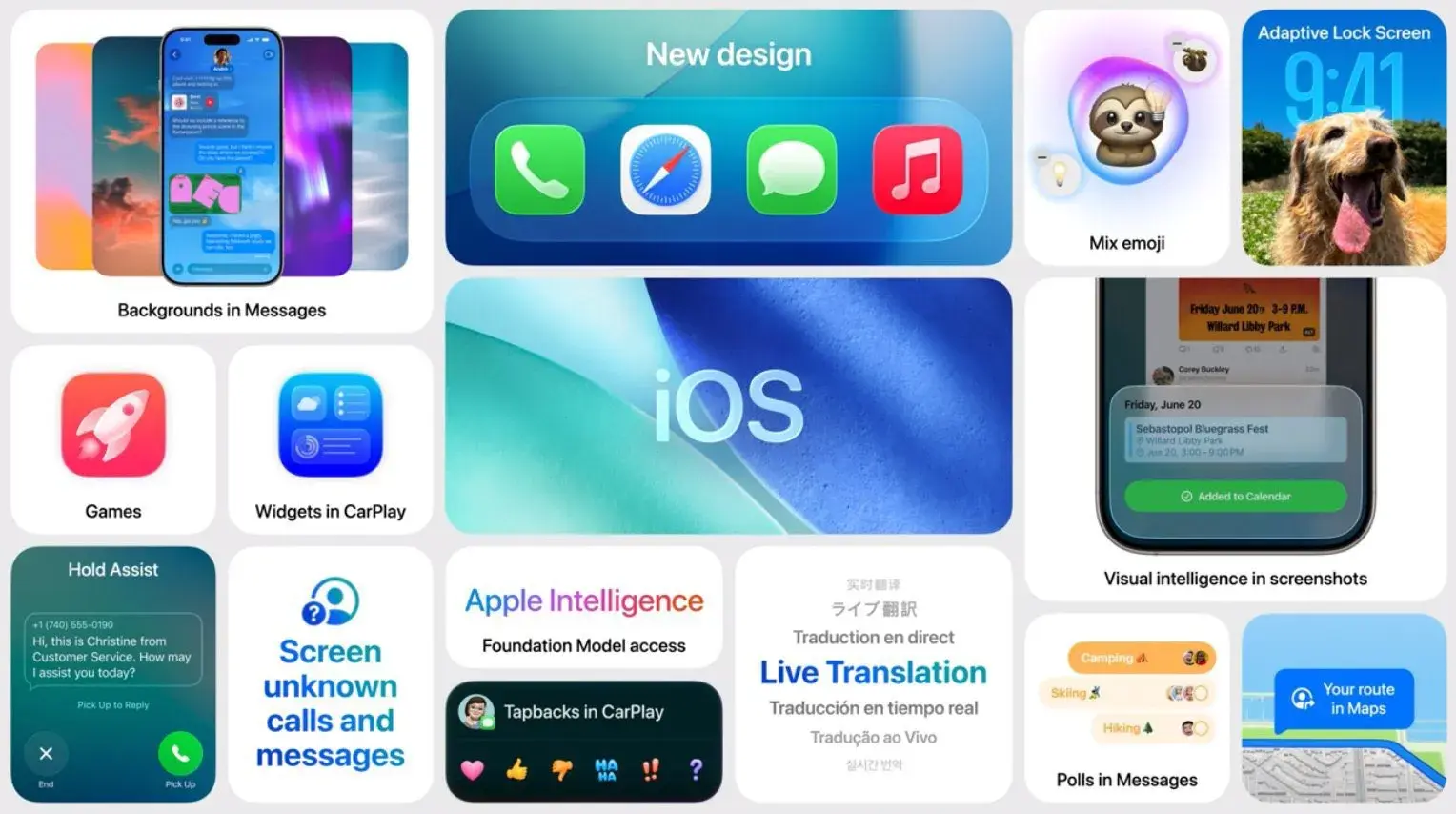
iOS 26 is an ambitious update that mixes redesign, more functions of Siri/Apple Intelligence and deep system adjustments. That size partly explains a more rough transition of what we saw in previous cycles. For those who have not yet updated, the usual advice: Make backupVerify that your critical apps are ready if you prefer to avoid possible initial failures.
For those who are already in iOS 26 and miss iOS 18, the message is clear: returning is no longer a viable option. It is time to optimize, inform of failures and take advantage of the functional improvements … and now we ask you: How is ios 26 going to you on your iPhone? Have you noticed greater consumption or failures, or does it seem a step forward in every way?