




If you are one of those who lives within Google Drive To manage personal or work documents, you have surely encountered the frustration of your file viewer more than once. Until now, opening a long PDF or searching for specific data in a document was a functional but rather crude experience, which required us to do scroll infinite with hardly any visual aids. It seemed that Google had left this part of its interface aside while it modernized the rest of its ecosystem.
Luckily, that has just changed radically. The company has begun rolling out a massive update to the web version of Drive that transforms the viewing experience. This is not a simple aesthetic facelift, but rather a functional restructuring designed for productivity. The objective is clear: that you do not waste time searching for information and that navigation between pages is as fluid as in a dedicated professional PDF reader.
Goodbye to infinite scroll: thumbnails and the table of contents arrive
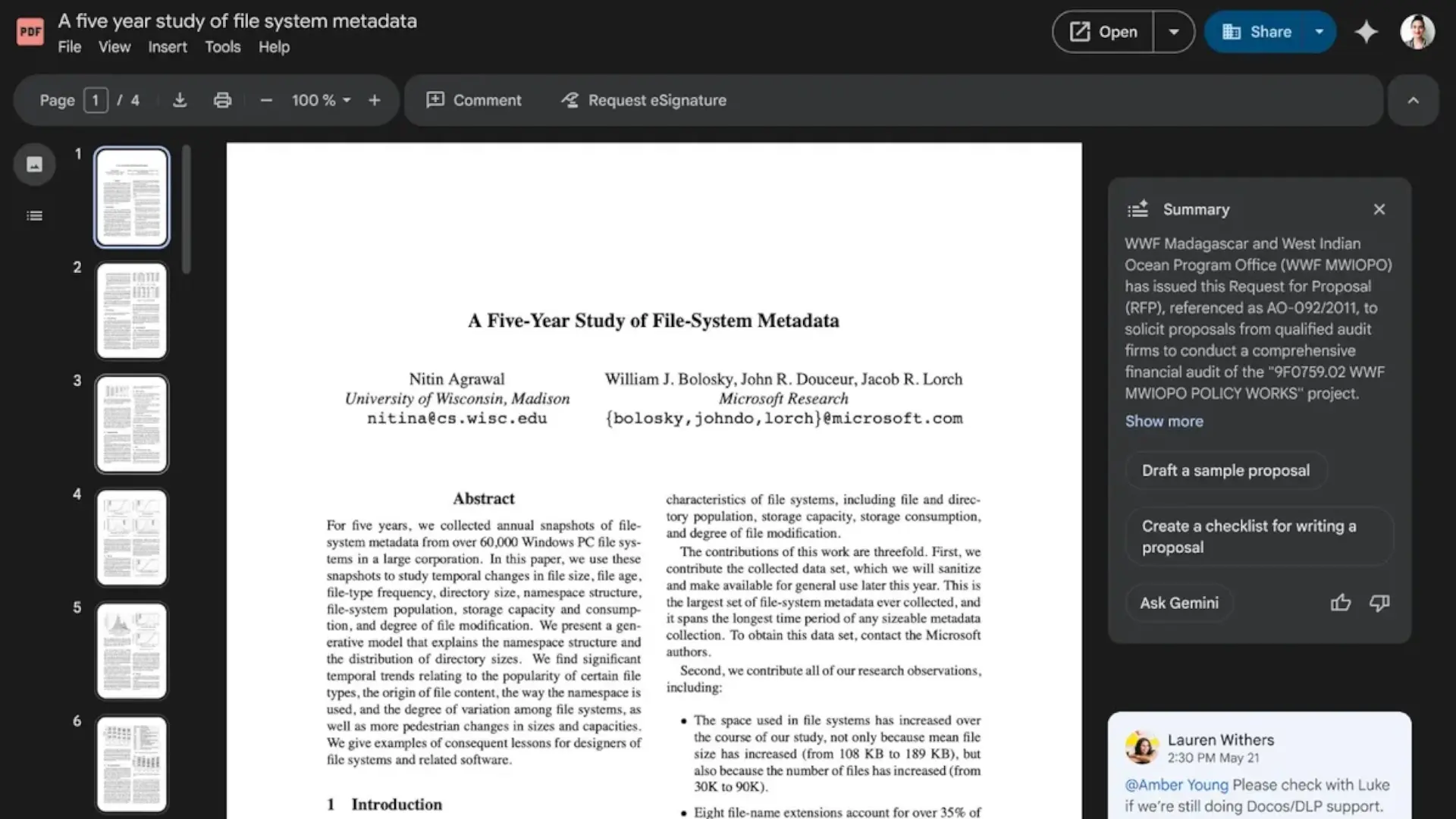
The main protagonist of this update is, without a doubt, the new navigation sidebar. When you open a document, especially a PDFyou will now see on the left a very useful column that includes a table of contents automatically generated (if the file supports it). This is a lifesaver for those dealing with long reports, contracts or technical manuals, as it allows you to jump from one section to another with a single click, without having to guess which page that important graphic was on.
In addition to the table of contents, Google has integrated a view of page thumbnails. This feature, which may seem basic in other desktop programs, is conspicuous by its absence in the web version of Drive until today. Thumbnails allow you to have a quick visual reference of the entire document, making it much easier to locate specific slides or pages with a distinctive visual format. All this is presented with a much cleaner, modern and less cluttered interface than the previous one.
Smart video search and AI touch
But the news does not stop only in text documents. Google has also taken the opportunity to revitalize the video viewer. One of the most interesting features is the ability to search the transcripts of the videos. Imagine that you have a one-hour meeting recorded and you only need to see the moment in which the “annual budget” was mentioned; Now you can type the keyword and the player will take you to the exact second where it is pronounced. It is a powerful tool that saves valuable minutes of playback.
Of course, artificial intelligence Gemini It also has its place in this renewal. The new interface integrates better with AI features, such as “audio summaries” that allow you to listen to a summary of the document while doing other things. Best of all, this update is not exclusive to paid accounts; The rollout has begun for both Google Workspace as for personal accounts, and should be available to everyone starting December 11.
Do you think these navigation tools will stop you from downloading PDFs and opening them in an external program?


