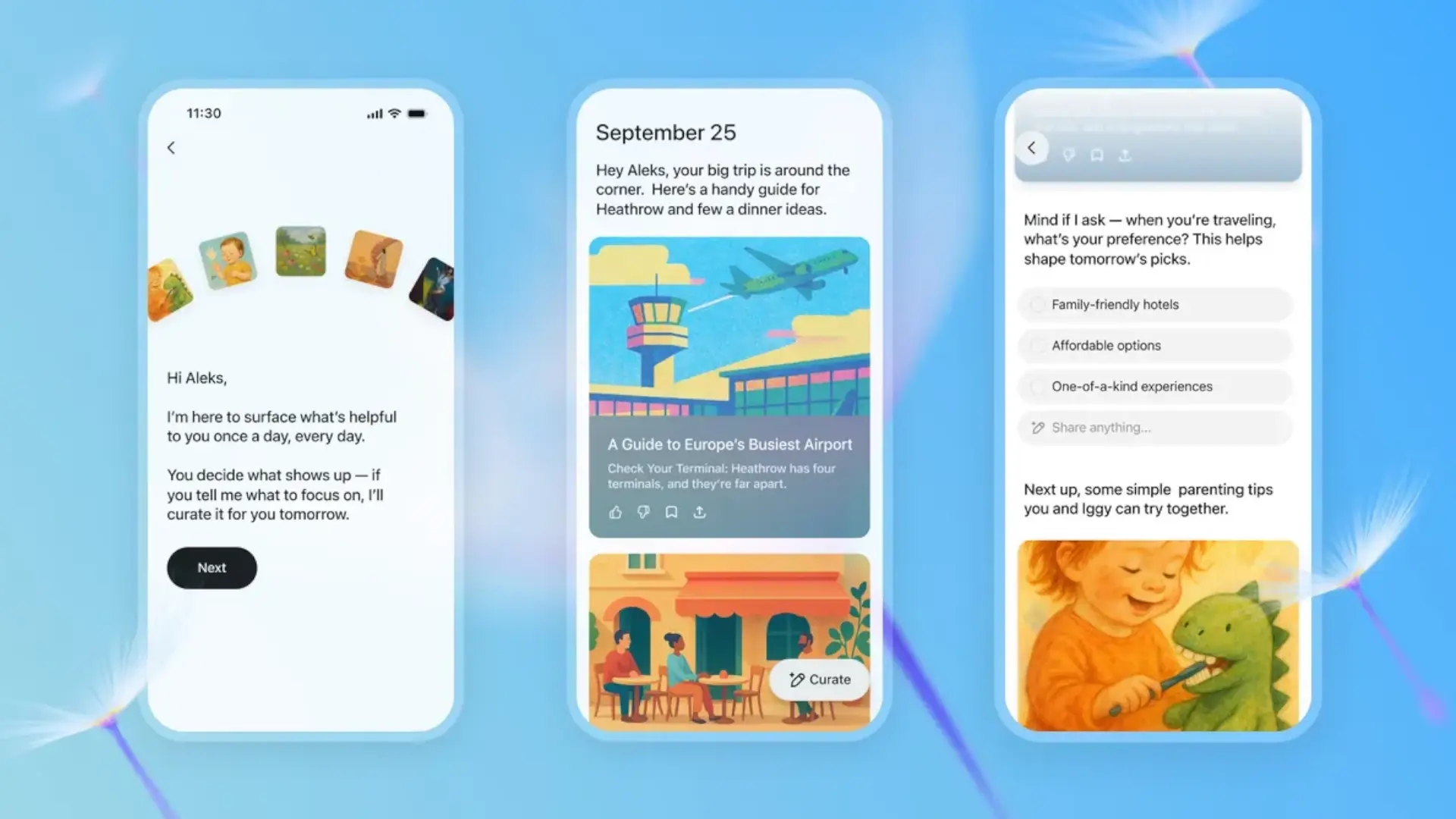

OpenAi has presented Chatgpt Pulsea new way within the Chatgpt mobile app that aspires to be the first thing you consult every morning. The idea is simple: every morning You receive a set of cards with useful and acconable information based on Your previous chats, your feedback And, if you authorize it, Application data such as Gmail and Google Calendar. With this, the company pushes chatgpt beyond the reactive role of “questions and answers” to a proactive assistant that saves you time and suggests the next step.
The function comes in Preliminary version for PRO users in the mobile app And it consists of 5–10 «Briefs» that are generated at night and appear ready to wake up. Each card can be opened to expand details, ask for next steps either Save it As chat for later. You can also Indicate what you want to see tomorrow with the “Select Contents” button and assess the suggestions with a thumb up or down to refine customization. A differentiating detail: Pulse does not present an endless flow of content, but only the most relevant of your day.
What is and how chatgpt works press
In practice, press Asynchronous research While you sleep for Provide context To your day: from an agenda draft for the 10:00 meeting, to restaurant reviews whose reservation is on your calendar, dinner ideas according to your diet, a News Summary Of your favorite team or reminders to resume a project you talked about yesterday. To do so it relies on your Chat historyin the memory (if you have it activated) and in the connectors That you decide to link.
Pulse keys:
- Daily updates in the form of Visual cards easy to scan.
- 5–10 «Briefs» in the morning; can enlarge Each and turn it into chat.
- Button “Curated” To ask for concrete topics (for example, local events on Friday or professional tennis advances).
- Feedback With thumb up/down and Feedback history that you can check or delete.
- He stops Intense: “That's all for today.”
- Only in the mobile app of chatgpt and, for the moment, to Pro subscribers.
Privacy and control: connectors and memory
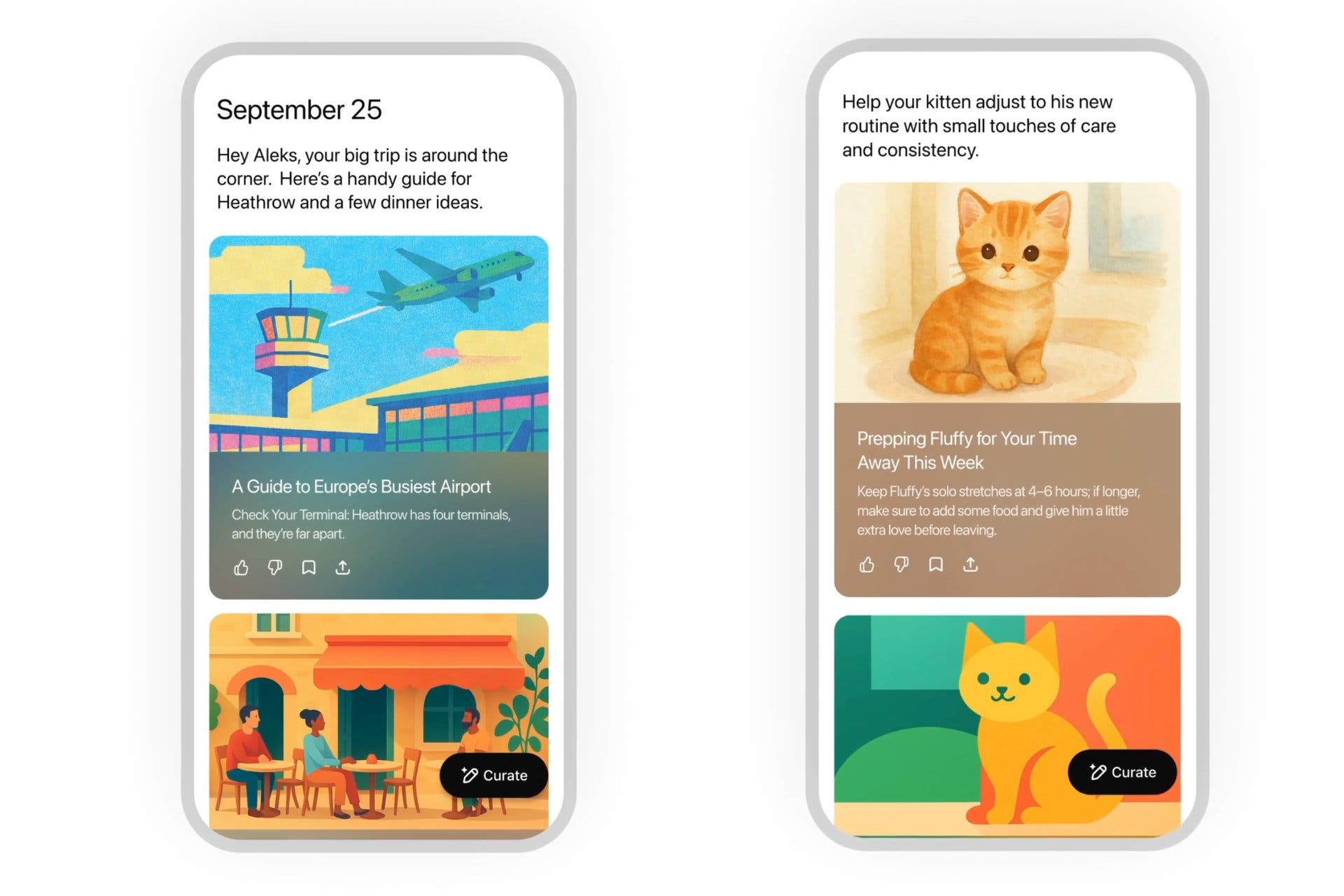
The deepest personalization reaches connect Gmail and Google Calendarbut these connectors are deactivated by default and are managed from the Settings. You decide what is shown: you can Cure content, Remove feedback and Uncoinculate any app at any time. In addition, the issues that appear go through Security filters and each edition of Pulse expires at the end of the dayunless you keep it as a conversation.
About the data, press The same rules as chatgpt: If you activate History and memorythe system can use that context to improve your daily cards. In work environments, Chatgpt's business plans are oriented to Minimize the use of training for training already reinforce the regulatory compliance and securitybut for the end user, the essential thing is that The connectors are optional And what can you Adjust the memory or history according to your preferences.
Availability and why imports in Android
Press is being deployed Since September 25 as Preliminary version for PRO Users within the Mobile app of chatgpt. Openai ensures that its objective is to extend it to other plans soon, starting with plus when the service is more efficient. In the day to day, for whom Android uses, this functionality competes with services such as Google Discover or attendees as Gemini, also available on Android, but with a more approach Personal and actionable That relies on your calendar, your emails and what you really do in Chatgpt.
That Not an infinite feed and include next steps You can make a difference: instead of losing yourself in headlines, you get concrete clues To advance a task, prepare a meeting or plan your afternoon. Yes OpenAi be right with the balance between utility and privacyPress is a clear step to convert chatgpt into The daily assistant that many Android users have been waiting for years.
A clear step towards the proactive assistant
Press does not reinvent the wheel of daily summaries, but yes lands in your context And add Control tools that were missing in other feeds. If you use chatgpt often to study, work or plan, this proactive layer can save you time every morning.
Clearly Openai is changing things for the benefit of its users, first with the new plan of Chatgpt Go For emerging markets, and now GPT Pulse That comes to facilitate our day to day, and surely the fans will appreciate all these novelties.
Do you see yourself using chatgpt click as your “kaleidoscope” diary of tasks, ideas and reminders? Or are you still preferring Google Discover, your newsletters or a classic calendar widget on Android?