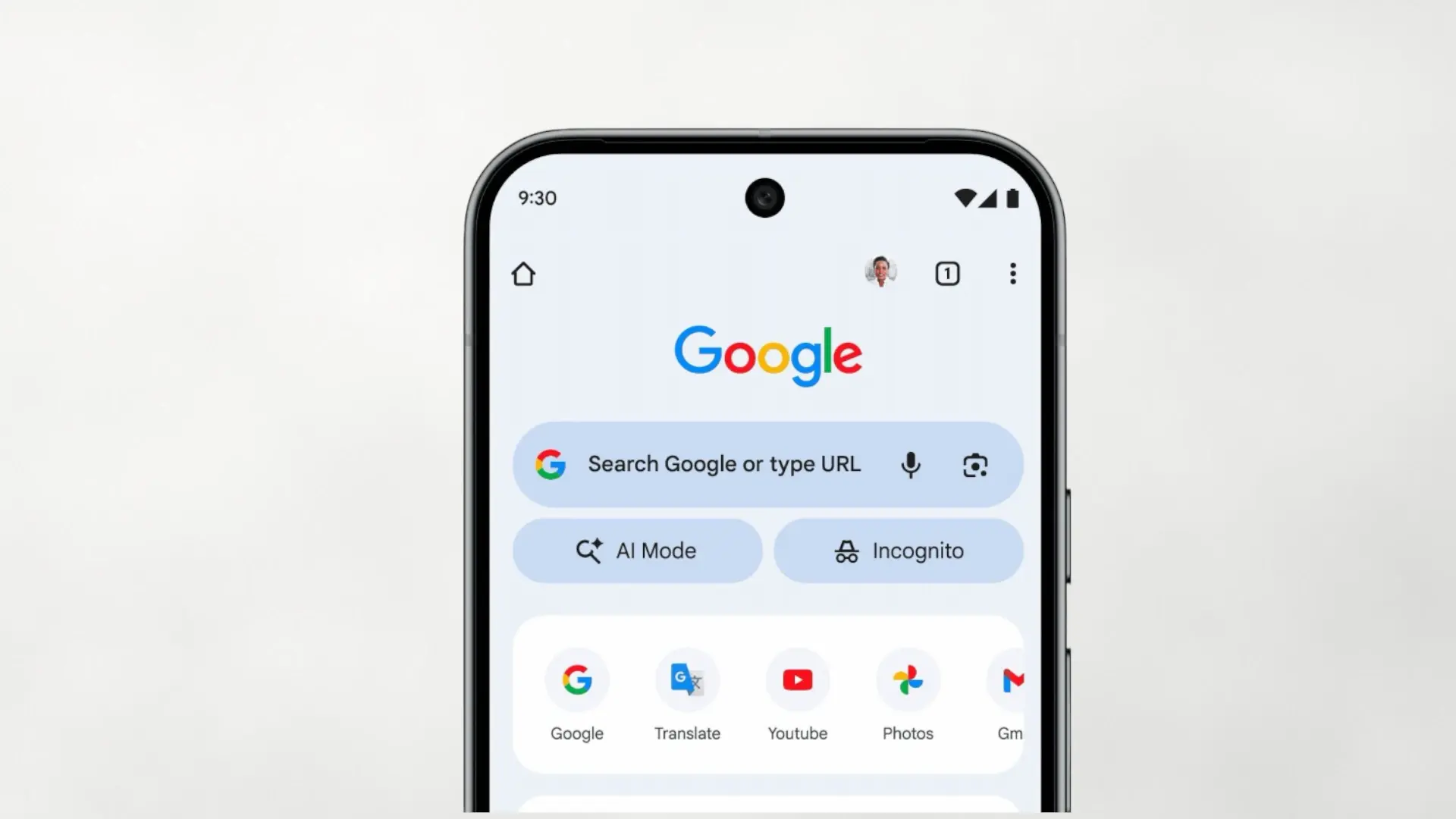

Google has begun to activate in Chrome for Android and iOS a new shortcut to “AI Mode”your most powerful search experience with artificial intelligence. The change is small at first glance, but very practical: when opening a new tab A button appears below the search bar that takes you directly to the AI interface to perform complex queries, ask new questions, and drill down through relevant links. For now, the deployment starts in USA and will arrive “soon” in more countries and more languages.
This move fits with Google's strategy of bringing its AI closer to the browser's daily life. On the desktop there was already access to “AI Mode” and Gemini; now on mobile just one touch to go from the classic search engine to an AI-guided conversation. If you use Chrome as your gateway to everything, you'll notice that researching topics, planning ideas, or requesting summaries will be more straightforward than before.
This is how the new shortcut works in Chrome
After updating Chrome, when you open the new tab page you will see an oval button below the main bar labeled “AI Mode.” It's located next to the Incognito button, so it's impossible to miss. When you tap it, the browser takes you to the AI experience to ask longer questions, ask conversation follow-ups and receive contextualized responseswith links to expand.
The novelty avoids having to write addresses or pull markers as before. In addition, Google has been adding complementary shortcuts: on the desktop there is a button in the “omnibox” and, on Android, functions such as summarizing pages or asking about what you are seeing are beginning to coexist. For those who research from a mobile phone, the integration improves compared to when it was necessary to switch between applications or copy links manually.
Availability, countries and languages
He launch started on November 5 in the United States and Google confirms that the shortcut will arrive “shortly” to 160 more countries with support for more languages (including Hindi, Indonesian, Japanese, Korean and Portuguese). The expansion will be progressive and will reach both Android and iOS. In parallel, the company continues testing “agent” capabilities within “AI Mode”, as help to manage reservations or appointments, which will be extended in phases.
What changes compared to the traditional search engine?
The key is the conversationality. Instead of launching loose searches, “AI Mode” allows chain questionsask for comparisons, ask for lists with context or request steps to follow, without losing the thread. For many users this can replace part of the usual “copy and paste”: now the pattern is to ask, refine and then open the links that interest you. If you prefer the classic search engine, continue there; Chrome simply puts you AI at a touch.
More AI, but with user control
Although the button gains prominence, it is not mandatory to use it. You can continue with your browsing habits and, when you need an extra push, turn to the Integrated AI. It is a discrete improvement that speeds up everyday tasks (study, shopping, traveling or rapid idea generation) and confirms that Google wants search with AI live inside the browsernot in a separate app. It is clear that Google is adjusting its browser, especially now that Atlasfrom OpenAI, is generating interest, and it is necessary not to sit idly by.
Are you convinced that Chrome brings “AI Mode” with a button in the new tab, or would you prefer it not to take up space? We read you in the comments.